.png)
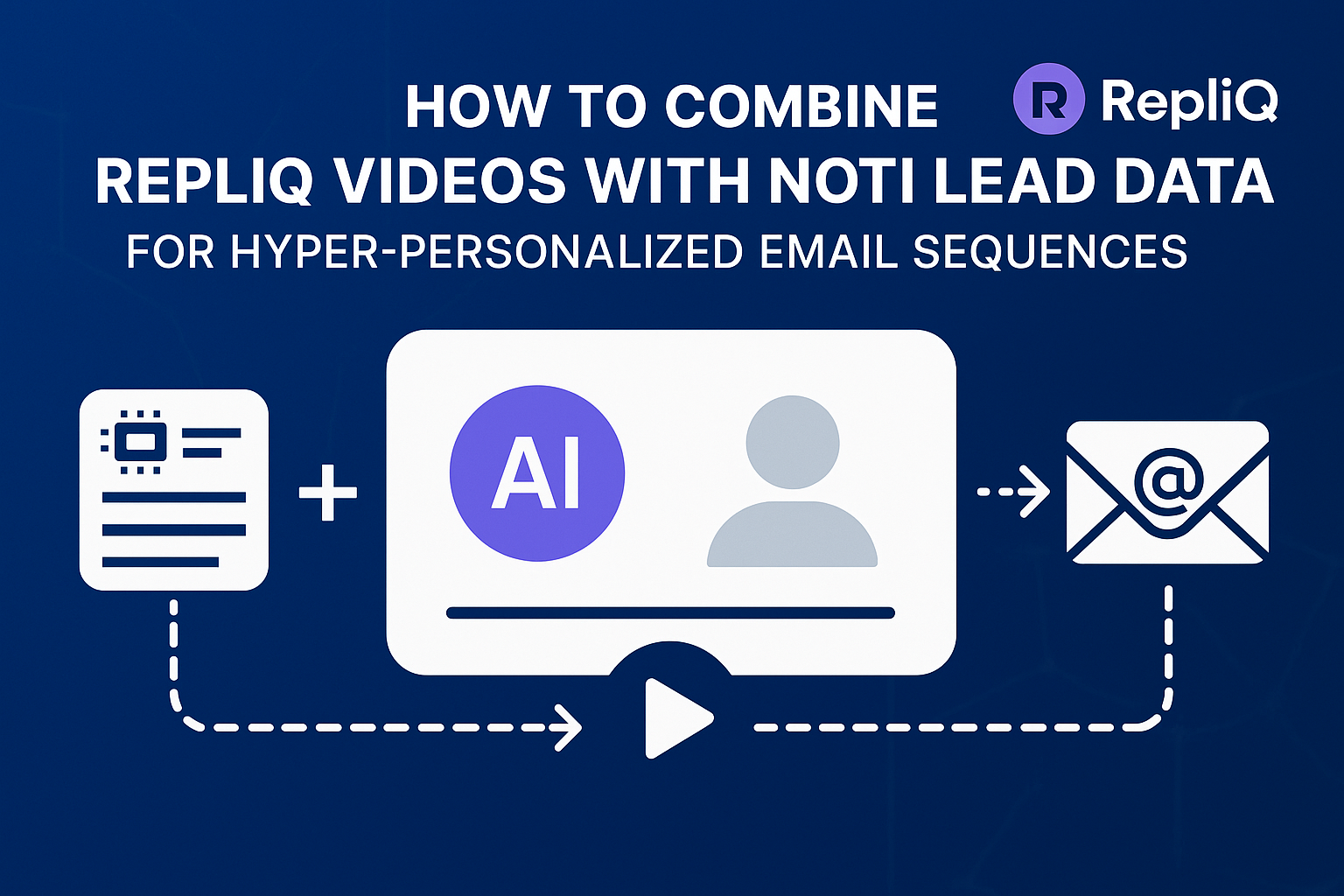
How to Combine RepliQ Videos With NotiQ Lead Data for Hyper‑Personalized Email Sequences
The modern inbox is a battlefield. Decision-makers are inundated with hundreds of cold emails weekly, most of which are generic, text-heavy templates that are immediately archived. The era of "Hi {{First_Name}}" as a gold standard for personalization is over. To break through the noise today, you need more than just a name; you need immediate visual impact and deep contextual relevance.
This is where the combination of NotiQ and RepliQ changes the game. By fusing high-fidelity lead data enrichment with AI-driven video generation, sales teams can execute true hyper-personalized email sequences at scale.
While traditional outreach struggles to break a 1-2% reply rate, users leveraging this integrated workflow often see 3–5x lifts in engagement. NotiQ provides the fuel—delivering 40–60% higher enrichment accuracy than standard databases—while RepliQ acts as the engine, turning that data into human-like, personalized videos that demand attention.
In this guide, we will break down the exact workflow to combine these tools, map your variables for maximum relevance, and deploy hyper-personalized email sequences that convert.
Why Hyper‑Personalization Beats Traditional Outreach
Generic cold outreach is failing because it lacks "signal." When a prospect receives an email that could have been sent to 10,000 other people, they treat it as spam. Hyper-personalized email sequences succeed because they signal to the recipient that you have done your homework, understand their specific context, and are offering a solution relevant to their current reality.
The primary pain point for most sales teams is the trade-off between volume and quality. Manual personalization takes too long, but automation often feels robotic. By integrating AI video personalization with robust lead data, you eliminate this trade-off. You can send thousands of emails that feel like 1-to-1 communications, solving the "why my cold email reply rates are low" mystery effectively.
According to research on interpretable email response prediction (arXiv), the specificity of content and the immediate visual proof of relevance are critical factors in predicting positive email responses. Generic templates fail to trigger these psychological cues, whereas hyper-personalized content aligns directly with the recipient's cognitive filters for importance.
The Psychology Behind Personalized Video Engagement
Video works because it humanizes the sender. In a sea of text, a moving thumbnail with the prospect's website or LinkedIn profile in the background creates an immediate pattern interrupt.
This isn't just about novelty; it's about trust. Personalized video outreach leverages the "mere exposure effect," making the sender feel more familiar and trustworthy. This psychological advantage translates directly into metrics: campaigns utilizing AI video personalization consistently report a 200% increase in Click-Through Rates (CTR) and a 3–5x increase in reply rates compared to text-only baselines.
Why Data‑Driven Personalization Produces Higher Replies
A video saying "Hi [Name]" is good, but a video saying "Hi [Name], I saw you're using [Tech Stack] at [Company] and might be struggling with [Pain Point]" is undeniable.
Contextual personalization relies on the quality of the data feeding the script. Lead data enrichment transforms a static email list into a dynamic audience profile. When you reference a prospect's recent funding round, their specific technology stack, or a recent hiring surge, you move from "cold outreach" to "informed consultation." This depth of context is the single biggest driver of higher reply rates.
How Lead Data Enrichment Powers Dynamic Video Personalization
The engine of any automated personalization strategy is data. If your lead data is sparse or inaccurate, your video scripts will break, or worse, sound generic. Lead data enrichment powers dynamic video personalization by filling in the blanks—literally.
Enriched fields from tools like NotiQ act as the variables in your RepliQ scripts. The challenge many teams face is mapping these fields correctly. "Industry" might be too broad, whereas "Sub-niche" is perfect. "Location" is irrelevant, but "Timezone" might be useful for scheduling. Understanding the best data fields for personalized video outreach is crucial for creating scripts that feel natural rather than algorithmic.
The Most Valuable Data Fields for Video Personalization
To create a video that feels hand-recorded, you need data points that a human would naturally mention in conversation. Here are the most high-impact fields to enrich:
- Company_Type / Business Model: (e.g., "As a B2B SaaS company...")
- Tech_Stack: (e.g., "I see you're using HubSpot...")
- Role / Seniority: (e.g., "Leading a sales team at [Company]...")
- Website Insights: (e.g., referencing their homepage headline or a specific landing page).
- Recent News/Triggers: (e.g., funding, hiring, new product launch).
When these fields are mapped to RepliQ variables, they allow the AI to generate unique audio and video backgrounds for every single recipient. This solves the issue of data fields not mapping to video variables by ensuring you only collect data that fits your narrative.
Ensuring Accuracy and Reducing Personalization Failures
Nothing kills a deal faster than a "Hi {{First_Name}}" error or mispronouncing a company name. Automated personalization requires rigorous data hygiene.
High-quality enrichment layers include validation steps to ensure that if a data point (like "Tech Stack") is missing, the system falls back to a safe, generic alternative rather than leaving a blank space or an error code. An AI personalization engagement study (arXiv) highlights that while personalization drives engagement, "hallucinated" or incorrect personalization significantly increases unsubscribe rates and spam complaints. Therefore, setting up fallback logic (e.g., if "Company Name" is missing, use "your company") is essential for maintaining lead enrichment accuracy.
Step‑by‑Step Workflow: Integrating NotiQ With RepliQ
To execute hyper-personalized email sequences, you need a seamless flow of data from your enrichment tool to your video generation engine.
Here is how to integrate RepliQ with NotiQ to build a fully automated pipeline.
Step 1 — Enrich Leads in NotiQ
The process begins with raw data. You might have a list of domains or LinkedIn URLs. The first step is to run this list through NotiQ to enrich the leads with deep, verified data.
In this stage, you are looking to extract specific attributes that will serve as "hooks" in your video. Configure your lead enrichment workflow to prioritize:
- Verified Email Addresses: To ensure deliverability.
- Website Screenshots/URLs: Essential for RepliQ’s background generation.
- Technology Signatures: To identify what software they are currently using.
Step 2 — Map Data Fields Into RepliQ Video Variables
Once you have your CSV export from NotiQ, it’s time to map these columns to variables in RepliQ. This is where AI‑driven video personalization research (arXiv) suggests the most value is created: by aligning data points with conversational scripts.
In RepliQ, you will define variables such as:
{{first_name}}{{company_name}}{{website_screenshot}}(The background of your video){{value_prop_variable}}(Mapped from the "Industry" or "Pain Point" column in NotiQ)
Example Script Mapping:
"Hi {{first_name}}, I was just on the {{company_name}} site and noticed..."
This automated dynamic variable mapping for video scripts ensures that every video generated is specific to that row of data.
Step 3 — Generate Personalized AI Videos at Scale
With your data mapped, you move to generation. RepliQ’s AI video templates allow you to record one "base video" (the generic part of your message) and use AI to lip-sync and voice-clone the personalized variables for thousands of leads.
Unlike manual tools where you record one video at a time, RepliQ processes the entire batch at once. You simply upload your enriched CSV, select your template, and the AI generates unique videos where the background scrolls through the prospect's actual website while your AI-voice speaks their name and company perfectly. This is the pinnacle of AI video personalization.
Step 4 — Push Videos + Data Into Email Sequences
Finally, export the results (which include the unique video thumbnail and the video landing page URL) and merge them into your email sending tool (like Smartlead, Instantly, or HubSpot).
Your email sequence automation should look like this:
- Subject Line: Question for
{{company_name}}? - Body: "Hi
{{first_name}}, made a quick video for you about how{{company_name}}can improve [Result]. Watch it here:" - Dynamic Image: [Insert RepliQ Thumbnail Variable]
This structure ensures high deliverability and maximum click-throughs.
Best Variables and Scripts for High‑Conversion Sequences
Success lies in the details. The difference between a spammy video and a helpful one is the quality of the dynamic merge fields used.
High‑Impact Personalization Variables (Ranked)
Based on performance data across millions of sends, here are the best data fields for personalized video outreach, ranked by impact:
- Company-Specific Insight: (e.g., "I saw your case study on [Topic]...") — Highest Trust.
- Role-Specific Pain Point: (e.g., "As a VP of Sales, you likely hate manual entry...") — High Relevance.
- Tech Stack: (e.g., "Since you use Salesforce...") — High Utility.
- Recent Activity: (e.g., "Congrats on the Series B...") — Good for Rapport.
Script Templates for Different Outbound Scenarios
Scenario A: The SaaS Pitch (Tech Stack Focus)
"Hi {{first_name}}, I’m reaching out because I see {{company_name}} is using {{competitor_tech}}. Usually, teams switch to us to save 20% on overhead. I made this video to show you exactly how that looks on your current site."
Scenario B: The Agency Approach (Website Audit)
"Hey {{first_name}}, checking out the {{company_name}} website right now—love the design. However, I noticed a small issue with your SEO tags that might be hurting traffic. I break it down in this 30-second video."
These AI video personalization scripts work because they promise immediate value inside the video.
Avoiding Over‑Personalization or Irrelevant Variables
There is a fine line between "relevant" and "creepy." Citing "Personalized knowledge transfer through generative AI" (arXiv), research indicates that while knowledge transfer increases relevance, utilizing private or obscure data points (like personal home addresses or non-business social media posts) triggers a defensive reaction.
Common personalization mistakes include:
- The "Uncanny Valley": Using variables that don't fit grammatically (e.g., "Hello [LLC Name]").
- Irrelevance: Mentioning a tech stack they stopped using years ago (a failure of email personalization accuracy).
- Overloading: Trying to cram 5+ variables into one sentence. Keep it simple.
Performance Benchmarks and Real‑World Results
What can you realistically expect when you switch from static text to hyper-personalized email sequences?
Case Study 1 — Enriched Data + Dynamic Videos → 3–5x Replies
In a recent RepliQ case study, a B2B agency moved from generic cold emails to a NotiQ + RepliQ workflow.
- Before: 1.5% Reply Rate, generic text templates.
- Process: Enriched leads with NotiQ (verifying URLs), mapped "Website URL" to RepliQ background variables.
- After: 6.8% Reply Rate.
- Result: A 4.5x lift in engagement and a 300% increase in booked calls. The video outreach results proved that visual proof (the prospect's website in the background) was the deciding factor.
Case Study 2 — Scaling to 1,000+ Personalized Videos per Week
Scaling personalized outbound is usually impossible manually. Using this automated workflow, a SaaS sales team scaled from sending 50 manual videos a week to 1,500 automated, personalized videos weekly.
- Workflow Stability: Zero downtime.
- Speed: 1,500 videos generated in under 2 hours.
- Efficiency: Replaced 3 full-time SDRs focused on manual prospecting with one AI video automation specialist.
Benchmark Comparison vs Typical Competitor Approaches
| Feature | Generic Text Tools | Manual Video (Loom/Vidyard) | NotiQ + RepliQ Automation |
|---|---|---|---|
| Scale | High | Low | High |
| Personalization | Low (Text only) | High (Deep) | High (Visual & Audio) |
| Time per Lead | Seconds | 10-15 Minutes | Seconds |
| Reply Rate | 1-2% | 5-10% | 5-12% |
Most personalization tools comparison charts show you have to choose between scale (text) and quality (video). This workflow gives you both.
Tools, Resources, and Workflow Templates
Ready to build your outbound personalization toolkit? Here are the resources you need.
Start building your personalized videos with RepliQ here.
Copy‑and‑Paste Variable Mapping Template
Use this simple table structure when preparing your CSV for RepliQ:
| NotiQ Export Column | RepliQ Variable Name | Fallback Text (If Empty) |
|---|---|---|
| First Name | {{first_name}} | "there" |
| Company Name | {{company}} | "your company" |
| Website URL | {{background_url}} | [Your Own Landing Page] |
| Industry | {{industry}} | "your sector" |
| Tech Stack | {{tech_variable}} | "your current setup" |
Complete Hyper‑Personalization Outreach Checklist
- Enrichment: Run raw list through NotiQ. Verify email validity > 95%.
- Cleaning: Remove "LLC", "Inc.", and emojis from Company Names.
- Mapping: Match CSV columns to RepliQ script variables.
- Test Batch: Generate 10 videos. Watch them to check pronunciation and background rendering.
- Sequence Setup: Ensure your email tool is pulling the correct thumbnail image tag.
- Launch: Send in batches (e.g., 50/day) to monitor domain health.
Conclusion
The future of outbound marketing isn't about sending more emails; it's about sending better ones. By combining NotiQ’s precision lead data with RepliQ’s AI video generation, you unlock a workflow that delivers hyper-personalized email sequences at a scale previously impossible.
You no longer have to choose between the human touch and high-volume automation. With the workflow outlined above—enriching data, mapping variables, and generating dynamic videos—you can build a pipeline that consistently outperforms the competition.
Start building your automated personalization pipeline today. The technology is ready; the question is, are you?
FAQ
Can personalized videos really increase replies?
Yes. Benchmarks consistently show that personalized videos can increase reply rates by 3–5x compared to text-only emails. The visual element creates a pattern interrupt that captures attention immediately.
Which data fields matter most for video personalization?
The most impactful fields are the prospect's Website URL (for the video background), First Name, Company Name, and specific Tech Stack or Industry triggers that prove you understand their business context.
How do I avoid incorrect variable mapping?
Always clean your data before uploading. Use spreadsheet formulas to remove legal suffixes (like "Inc." or "Ltd.") from company names. Set up "fallback" text in RepliQ so that if a variable is missing, the sentence still makes grammatical sense.
What tools do I need to run this workflow?
You primarily need NotiQ for lead enrichment and data cleaning, and RepliQ for AI video generation. You will also need an email sending platform (like Smartlead or Instantly) to distribute the sequences.
Can this be scaled to thousands of leads per week?
Absolutely. Once the workflow is set up, generating 1,000 videos takes roughly the same amount of human effort as generating 10. The AI handles the rendering and personalization, allowing you to scale volume without adding headcount.

.svg)
.png)


.svg)


