.png)
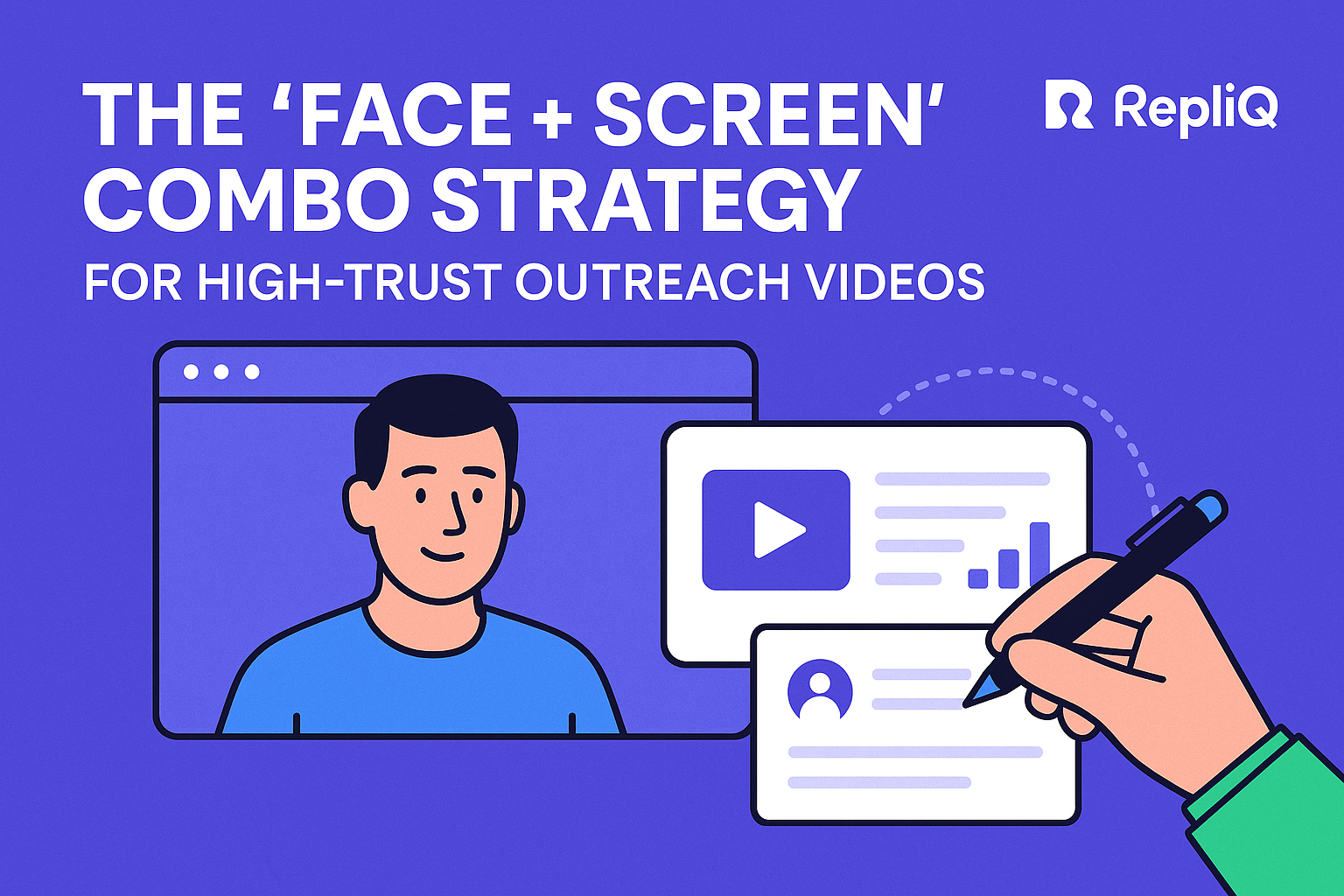
Face + Screen Outreach Videos: The Trust-First Blueprint for Higher-Response Prospecting
Table of Contents
- Introduction
- Why Face + Screen Builds Trust Faster
- What to Show on Screen to Prove Relevance
- A Simple Outreach Video Framework for Beginners
- How to Personalize at Scale Without Feeling Fake
- Common Trust-Killing Mistakes in Outreach Videos
- Tools and Resources for Human-Centered Video Outreach
- Future Trends: AI, Authenticity, and the Next Era of Video Prospecting
- Conclusion
- FAQ
Introduction
Modern cold outreach suffers from a critical flaw: it feels generic, text-heavy, and remarkably easy to ignore. Decision-makers are inundated with automated emails that read like templates, leading to unprecedented levels of skepticism in the inbox. To break through the noise, you need more than just a clever subject line. You need a mechanism that instantly proves you are a real human who has done their homework. That is the core promise of face + screen outreach videos. By showing your face alongside the prospect’s specific context on screen, you make your outreach feel more human, credible, and undeniably relevant.
This article serves as a beginner-friendly guide tailored for sales reps, founders, and outbound teams who want to implement a repeatable video prospecting process without getting bogged down in heavy production. The strategy outlined here is not simply about hitting "record." Instead, it is a trust-first system that seamlessly combines a visible human presence with undeniable proof of personalization.
Throughout this guide, we will explore exactly why this format works, precisely what to show on your screen to capture attention, how to structure your core message, and how to scale your efforts without sacrificing authenticity. We will also dissect common mistakes that kill trust before it even forms. Drawing on RepliQ’s deep experience in AI personalized video outreach, we know that the most effective trust factors are real context, natural delivery, concise messaging, and clear next steps. For those looking to dive deeper into broader strategies, you can explore more outreach and personalization tactics after this guide on the INTERNAL_LINK: https://repliq.co/blog.
Why Face + Screen Builds Trust Faster
The psychology behind face + screen outreach videos explains why this format consistently outperforms text-only outreach and often feels significantly more credible than face-only video. Trust is built on two foundational pillars in cold outreach: familiarity and relevance. When a prospect sees your face, it creates immediate familiarity, accountability, and an emotional connection. You are no longer an anonymous entity hiding behind a keyboard. Simultaneously, the screen creates contextual proof. It visually demonstrates that the message was crafted specifically for the recipient.
Contrast this format with low-trust alternatives. Generic cold emails are easily dismissed as mass blasts. Overproduced, highly polished marketing videos feel like commercials rather than one-to-one conversations. Screen recordings with no visible sender feel cold and detached. The face + screen combination strikes the perfect balance. Furthermore, beginners do not need polished production to succeed. In human-centered video outreach, what matters most is relevance, clarity, and visible effort.
This trust-first approach stands in stark contrast to typical tool-led advice, which heavily focuses on vanity metrics like open rates or the sheer convenience of recording, rather than actual trust formation. According to research on trust in video communication, visual credibility cues, transparent communication, and clear calls to action directly influence trust and comprehension, making the face + screen method a scientifically backed strategy for better engagement.
H3: Why face visibility matters in cold outreach
Seeing the sender’s face makes the message feel accountable and inherently human. In an era where buyers are increasingly wary of automated outreach, a visible face proves that a real person stands behind the message. This simple visual cue drastically reduces buyer skepticism. The goal here is not to possess Hollywood-level charisma; rather, it is about projecting authenticity and presence. When executing sales outreach videos or a cold email video, a simple smile and direct eye contact into the webcam do the heavy lifting of humanizing your pitch.
H3: Why screen sharing proves relevance instantly
The screen is where the undeniable proof of your preparation lives. When you share the prospect’s website, a recent LinkedIn profile update, a specific workflow, or relevant audit notes, you instantly prove this is not a generic blast. Prospects decide within seconds whether a message is meant for them. Visible relevance accelerates this decision-making process. By visually pointing to the exact reason for your outreach, you reduce the cognitive friction that comes with reading long, text-heavy explanations, making your video prospecting highly effective.
H3: Face-only vs. face + screen vs. text-only
Different formats serve different purposes, but face + screen outreach videos are the ultimate fit for first-touch trust building when establishing relevance is critical. Face-only videos can feel warm, but they often remain vague without visual context. Text-only emails are highly efficient to send, but they frequently lack the interpersonal touch needed to secure a meeting.
| Format | Best Use Case | Trust Signal Level | Drawbacks |
|---|---|---|---|
| Text-Only | Follow-ups, quick updates | Low to Medium | Easy to ignore, highly saturated |
| Face-Only | Relationship building, warm intros | Medium | Lacks visual proof of relevance |
| Face + Screen | First-touch cold outreach | High | Requires slight preparation |
By utilizing trust-building video messaging, you leverage the strengths of both visual proof and human connection.
What to Show on Screen to Prove Relevance
To effectively execute webcam and screen recording outreach, you must use concrete visuals that signal personalization and credibility. What appears on your screen should directly support your main message rather than distract from it. The most effective visuals answer one pressing question for the prospect within the first three seconds: “Why are you reaching out to me specifically?”
Beginner-friendly examples include pulling up the prospect's homepage, a specific product page, their LinkedIn profile, a workflow screenshot, a brief audit note, or a tailored observation. While competitors often stay vague, relying on generic backgrounds or presentation slides, your screen should be a targeted visual aid. Following CDC guidance on visuals that support the message, it is crucial to use clear, unambiguous visuals that reinforce your core message instead of cluttering the screen with unnecessary data.
H3: The best screen elements for first-touch outreach
The strongest personalized outreach videos utilize highly specific screen elements. Recommend examples include:
- The prospect’s website homepage or pricing page: Shows you understand their business model.
- Their LinkedIn profile or a recent post: Proves you are tracking their professional insights.
- A recent job listing: Indicates you understand their current growth initiatives or pain points.
- A product signup flow: Perfect for demonstrating user experience friction.
- A quick teardown note: Shows you have done preliminary analysis.
These elements work because they visually demonstrate relevance, preparation, and a concrete reason for your video prospecting efforts.
H3: What each visual should communicate
Every screen choice must be tied to a specific trust signal: relevance, understanding, opportunity, or clarity. Your visual should support a single key observation rather than a laundry list of commentary. For example, if you are highlighting a slow page load speed, the screen should show the exact performance test, not a generic dashboard. Use visuals as definitive proof of your claims, not as background filler. This focused approach is the cornerstone of human-centered video outreach and trust-building video messaging.
H3: Examples by use case
Different outbound situations require different visual contexts. These simple examples allow beginners to start recording immediately:
- For Founders: Show a workflow gap on the prospect's site and explain how your solution bridges it.
- For SDRs: Display the prospect's LinkedIn profile alongside one specific observation about their recent company milestone.
- For Agencies: Feature the prospect’s homepage alongside a quick, written conversion note outlining one immediate area for improvement.
These tailored sales outreach videos and cold email video formats ensure the message hits home.
H3: How to avoid cluttered or distracting screens
A messy screen instantly diminishes your credibility. Avoid having too many open browser tabs, irrelevant internal dashboards, tiny unreadable text, or messy desktop backgrounds visible during your recording. Focus the screen on one singular idea and one useful visual cue. Use a clean opening frame or an engaging thumbnail to improve instant recognition. As reinforced by CDC guidance on visuals that support the message, eliminating visual noise ensures the viewer’s attention remains locked on your core value proposition.
A Simple Outreach Video Framework for Beginners
Having a repeatable structure is vital for scaling sales outreach videos. Beginners often struggle with rambling, projecting fake enthusiasm, or failing to articulate a clear ask. To solve this, rely on a straightforward, four-step framework: Intro → Personalized observation → Value hook → Clear CTA.
This framework emphasizes brevity, a natural delivery, and one main takeaway rather than a rigidly polished script. According to CDC guidance on one clear main message, communication is vastly more effective when it centers on a single, easy-to-understand takeaway and one logical next step.
H3: Step 1 — Start with a human, low-friction intro
Open naturally by stating the prospect’s name and a brief, honest reason for the message. Avoid theatrical intros, overly energetic radio-host voices, or generic, hollow compliments like "I love your company." Keep the first five seconds entirely focused on making the viewer feel that this human-centered video outreach is meant exclusively for them. A simple, "Hi [Name], I was browsing your site today and noticed something..." is highly effective.
H3: Step 2 — Show one personalized observation on screen
This is the moment where the screen does the heavy lifting for your credibility. Point out one specific observation tied directly to the prospect’s site, profile, or workflow that is currently visible on the screen. Keep the observation concrete and highly relevant. Do not be broad or vague. This is the core of face + screen outreach; it transforms a standard pitch into personalized outreach videos that build genuine video trust building.
H3: Step 3 — Connect the observation to a value hook
Transition smoothly from “I noticed this” to “Here’s why it matters to you.” Use simple, jargon-free language to discuss potential opportunities, friction points, or missed conversion moments that your observation uncovered. Avoid the temptation to overexplain your product features. Focus entirely on the relevance of the problem first. This is where video prospecting evolves into trust-building video messaging.
H3: Step 4 — End with a clear, low-pressure CTA
Conclude with a simple, low-friction next step. Phrases like “Worth a quick look?” or “Happy to share a few ideas if you are open to it” work exceptionally well. Low-friction CTAs fit trust-first outreach much better than aggressive, demanding asks for 30-minute meetings. Stick to one CTA only. As supported by research on trust in video communication, clear, singular calls to action significantly improve viewer comprehension and overall trust.
H3: Suggested length, tone, and delivery
Keep your videos short—ideally between 45 and 90 seconds. They should be context-rich and conversational in tone. A natural, slightly imperfect delivery beats a heavily edited, polished production for this specific use case. The ultimate goal is credibility and human connection, not cinematic perfection. Adhering to these video prospecting tips ensures your trust-building video messaging remains authentic.
How to Personalize at Scale Without Feeling Fake
One of the most common objections to modern outbound strategies is how to use AI or scalable workflows without losing authenticity. Personalization at scale should be utilized to support relevance prep, never to replace visible human cues. AI is incredibly powerful for background research, scripting assistance, segmentation, and personalization preparation. However, humans must remain visible in the delivery, judgment, contextual interpretation, and final messaging.
Skepticism around AI-generated outreach is high, but you can preserve trust through real context and a natural presentation. As noted in research on why tailored messages feel more relevant, personalization is only effective when it genuinely increases perceived relevance, not when it merely adds superficial, automated customization.
H3: What “authentic at scale” actually means
"Authentic at scale" means utilizing scalable workflows to help you prepare your research faster, while ensuring the actual outreach still feels specific, timely, and human. Authenticity stems from deep relevance, not from pretending that every single video was painstakingly handcrafted from scratch over hours of labor. For beginners, this means you can use tools to speed up your process without the fear of appearing robotic, provided your core message remains contextually accurate.
H3: Where AI helps without hurting trust
AI is best used as a high-powered assistant. It can surface prospect context, draft first-pass observations, organize outreach lists, and support the creation of personalized video variations. Crucially, AI should never introduce fake details, exaggerated familiarity, or generic praise. It is an assistant to human-centered video outreach, not a replacement. For teams looking to implement this ethically and effectively, you can explore how INTERNAL_LINK: https://repliq.co/ai-videos supports AI-assisted personalized outreach while strictly preserving human-centered trust signals.
H3: The visible cues that keep outreach believable
To ensure your messaging cuts through the noise of saturated inboxes, maintain these visible trust cues:
- A real face: Visible accountability.
- A real screen: Tied directly to the prospect's public data.
- Natural pacing: Conversational tone, not a rushed read.
- Concise structure: Respects the buyer's time.
- A specific CTA: Clear, low-pressure next steps.
Turning these cues into a pre-recording checklist ensures your sales outreach videos maintain high standards of trust-building video messaging.
H3: When to use manual personalization vs. assisted personalization
Higher-value, Tier 1 enterprise accounts deserve manual, deeply researched attention. Conversely, broader, higher-volume campaigns can effectively leverage AI-assisted preparation, provided there is visible human review and delivery. The right balance depends entirely on account value, campaign volume, and the depth of context available. Unlike generic recording tools that prioritize sheer convenience over trust design, a human-centered approach ensures that even assisted personalization feels bespoke.
Common Trust-Killing Mistakes in Outreach Videos
Even with the right strategy, poor execution can make video outreach feel spammy, performative, or entirely fake. Avoiding these common video outreach mistakes is essential for maintaining the credibility of your sales outreach videos.
H3: Over-scripted delivery
- The Mistake: Reading a script word-for-word like a robot.
- Why it hurts trust: It eliminates warmth and makes the personalization feel entirely staged and insincere.
- How to fix it: Use outline-based talking points instead of memorized scripts. Speak in natural phrasing and short sentences to maintain human-centered video outreach.
H3: Fake personalization
- The Mistake: Using generic praise (e.g., "Loved your latest post!") or vague references that do not meaningfully connect to your pitch.
- Why it hurts trust: Buyers instantly detect shallow customization, viewing it as a manipulative tactic.
- How to fix it: Ensure one real, highly specific observation anchors the video. Specificity is the core of effective AI personalized videos and trust-building video messaging.
H3: Cluttered visuals and too much on screen
- The Mistake: Recording with busy dashboards, excessive tabs, unreadable text, and visual overload.
- Why it hurts trust: It distracts the viewer and makes the core message impossible to follow.
- How to fix it: Clean your desktop, prepare only the necessary tabs before recording, and maintain a single screen focal point tied to the message.
H3: Long videos with no clear takeaway
- The Mistake: Rambling for three minutes trying to explain every feature of your product.
- Why it hurts trust: It disrespects the prospect’s time and dilutes the value proposition.
- How to fix it: Stick to one idea, one proof point, and one CTA. Brevity itself is a trust signal. This aligns perfectly with CDC guidance on one clear main message.
H3: Asking for too much, too soon
- The Mistake: Demanding a 30-minute meeting at the end of a cold 60-second video.
- Why it hurts trust: Hard meeting asks create immediate friction and pressure early in a non-existent relationship.
- How to fix it: Use low-pressure CTAs that invite dialogue. Align the weight of your CTA with the amount of trust you have actually established.
Tools and Resources for Human-Centered Video Outreach
Translating strategy into execution requires the right technology, but strategy must always come first. The perfect face + screen composition and message clarity will consistently outperform feature-heavy workflows that lack relevance. When selecting tools for webcam and screen recording, look for standard category expectations: recording face and screen simultaneously, simple sharing links, and robust support for personalized workflows. However, remember that the ultimate goal is trust-first personalization, not just recording convenience.
H3: What to look for in a face + screen video tool
For beginners, speed and simplicity are paramount because reps need a workflow they can repeat dozens of times a day. Look for platforms that offer simple webcam and screen capture, instant cloud-based sharing, and seamless personalization support. The tool should get out of your way, allowing you to focus on the prospect rather than troubleshooting software during your video prospecting.
H3: Why workflow design matters more than feature lists
Even the most expensive, feature-rich tool cannot fix a generic, poorly researched message. The strongest outbound workflows seamlessly combine diligent preparation, high relevance, simple recording mechanics, and a low-friction CTA. Workflows that rely heavily on generic scraping without contextual human review will ultimately fail to convert. True human-centered video outreach requires a workflow designed around building trust.
H3: Where RepliQ fits in the workflow
For teams that want to scale efficiently, RepliQ is a highly effective option that provides AI-assisted personalization without stripping away the human-centered elements necessary to build trust. It streamlines the preparation and delivery phases while keeping the sender's authentic face and relevant screen context front and center. To see how you can operationalize this strategy and explore platform details, check out INTERNAL_LINK: https://repliq.co/ai-videos as the natural next step for evaluating your execution options.
Future Trends: AI, Authenticity, and the Next Era of Video Prospecting
The landscape of outbound sales is evolving rapidly. As AI-assisted personalized video expands, visible authenticity cues are becoming exponentially more important because buyers are growing increasingly cautious of automation. The future of asynchronous video is securely positioned as a trust-first alternative to the long, easily ignored cold emails clogging up modern inboxes.
H3: Why authenticity becomes a bigger differentiator as automation grows
When automation becomes the baseline standard, clear, undeniable human cues become your most valuable differentiator. Buyers will gravitate toward sellers who can prove their humanity and specific intent. The face + screen format acts as a highly durable trust signal against the rising tide of AI-generated spam. For outbound teams, this means that doubling down on human-centered video outreach is not just a current tactic, but a long-term strategic advantage.
H3: The rise of micro-personalization
We are witnessing a massive shift toward micro-personalization. Instead of broad industry observations, top performers are using highly specific prospect context—such as individual webpages, nuanced LinkedIn profile details, specific workflows, and tailored opening video thumbnails. The more granular and specific the context, the easier it is to establish undeniable relevance within seconds. This micro-level screen + face outreach is the future of high-converting video prospecting.
Conclusion
The face + screen combination is a powerhouse in modern prospecting because it perfectly blends human presence with visible, undeniable proof of relevance. The most important takeaway for beginners is that you do not need a Hollywood-level production budget or polished editing skills to build trust. You simply need a clear message, real context on your screen, and a simple, low-friction CTA.
By implementing this practical system—showing your face, displaying one relevant screen element, making one useful observation, connecting it to value, and ending with a soft ask—you instantly elevate your outreach above the automated noise. While AI and automation are incredible tools to support your preparation and scale your efforts, your ultimate success still depends on visible authenticity and contextual accuracy.
RepliQ remains at the forefront of AI personalized video outreach, deeply focused on these tested, human-centered trust factors. To continue learning how to make this workflow repeatable and highly successful in your own outbound processes, explore more insights on the INTERNAL_LINK: https://repliq.co/blog.
FAQ
H3: Why do face + screen outreach videos build more trust than plain text emails?
The sender’s face adds immediate accountability, warmth, and a human connection that text lacks. Simultaneously, the shared screen visually proves that the message is uniquely relevant and researched specifically for the recipient, cutting through the skepticism of automated text emails.
H3: What should I show on screen in a cold outreach video?
Show highly practical, specific elements tied to your message. Excellent options include the prospect’s homepage, their LinkedIn profile, a specific software workflow, a brief audit note, or a recent company news release that anchors your pitch in reality.
H3: How long should a face + screen outreach video be?
Keep it short and highly focused—ideally between 45 and 90 seconds. The video should center on one clear message, one specific proof point, and one low-friction CTA, rather than serving as a long, drawn-out product walkthrough.
H3: Are personalized outreach videos better than plain text emails?
They are significantly more effective when they actively increase trust, clarity, and relevance. However, they only outperform text if you avoid generic messaging and overproduced delivery, focusing instead on authentic, context-driven communication.
H3: Can AI personalized videos still feel authentic?
Yes, they can feel highly authentic when AI is used strictly to support research, segmentation, and preparation. The final output must still include real context, visible human cues (like your face), and a natural, conversational delivery.
H3: What mistakes reduce trust in sales outreach videos?
The most damaging mistakes include fake or shallow personalization, robotic and over-scripted delivery, cluttered screens that confuse the viewer, rambling videos with too much information, and pushy, high-friction CTAs.

.svg)
.png)


.svg)


