.png)
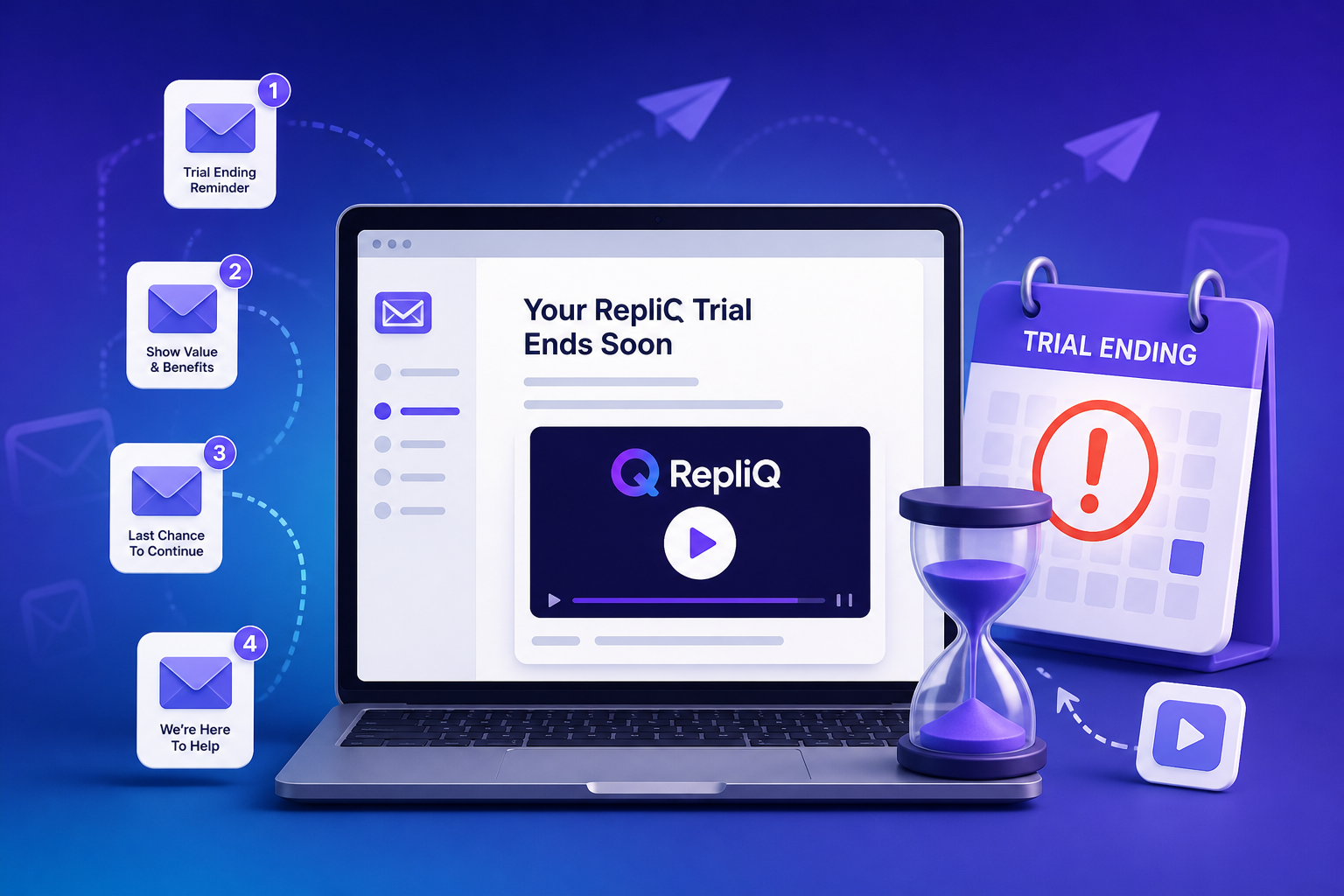
Trial Expiration Outreach With Personalized SaaS Videos: A Conversion-Focused Playbook
Table of Contents
- Introduction
- Why Trial Expiration Outreach Requires More Than a Reminder
- Build a Behavior-Driven Trial Conversion Campaign
- The 14-Day Personalized Trial Expiration Sequence
- Personalized Video Scripts for Key Trial User Segments
- How to Scale Personalized SaaS Videos Without Losing the Human Element
- Measure and Optimize Trial-to-Paid Conversion
- Tools and Workflow Considerations
- Conclusion
- FAQ
Introduction
A user reaches the final days of their software free trial. They haven't completed their account setup, they haven't experienced your highest-value workflow, and they still have lingering questions about pricing. In response, your automated system sends a generic email: "Your trial is ending in 3 days. Upgrade now." While this creates deadline awareness, it completely fails to build the confidence required for a purchase.
Effective trial expiration outreach requires more than just a ticking clock. To bridge the gap between exploration and commitment, your outreach must combine precise timing, accurate product context, targeted education, objection handling, and a clear next step. For SaaS marketing, growth, customer success, and revenue teams, mastering this lifecycle moment is critical to maximizing product-led growth.
This article provides a practical 14-day campaign playbook designed to maximize free trial conversion. You will find segment-specific video scripts, automation guidance, and a robust measurement framework. Most importantly, we will explore a unique angle: positioning personalized SaaS videos as an operational trial-conversion workflow rather than an isolated recording. A successful strategy connects behavioral triggers, tailored video content, timely delivery, and strategic follow-up.
As a platform built for lifecycle and trial-conversion communication, RepliQ empowers teams to build personalized video workflows that handle trial-end education, address objections, and seamlessly guide users to the next step.
Why Trial Expiration Outreach Requires More Than a Reminder
The final days of a free trial represent a high-intent but highly variable conversion moment. Treating every expiring trial as identical leaves revenue on the table.
The trial-expiration conversion gap
Many users reach the end of their trial without completing activation, adopting the core feature, or understanding how the product actually fits into their daily workflow. When this happens, a generic deadline reminder falls flat. Instead of just announcing an expiration date, your trial-ending email should provide helpful guidance tied directly to the user’s actual product experience.
Your messaging must implicitly answer the question: “What prevented this user from reaching value?” The goal of trial expiration outreach is not simply to enforce a deadline; it is to reduce uncertainty, eliminate friction, and make the next logical action obvious to the user. Closing the trial-to-paid conversion gap requires education, not just urgency.
Why behavioral context matters
To provide relevant guidance, you must look at behavioral context. Useful signals include incomplete setup steps, account inactivity, core-feature usage, invited teammates, repeated pricing-page visits, and support interactions. The same expiration date demands drastically different messages for an active power user versus someone who never logged in after day one.
Mapping behavior to intent allows you to tailor your automated trial follow-up:
- High engagement may indicate readiness for a direct upgrade conversation or an enterprise sales motion.
- Partial activation may indicate a need for workflow education and product adoption videos.
- Inactivity may indicate unclear value, onboarding friction, or simply poor timing.
It is crucial to avoid presenting behavioral signals as absolute proof of intent. Instead, use these data points as inputs to craft more relevant, helpful SaaS trial follow-up outreach.
Why personalized video can improve clarity
Text-based emails often fail to convey the nuances of a software interface. A short, personalized video can demonstrate a relevant workflow instantly, replacing broad product claims with visual proof. Video uniquely combines product education, human context, objection handling, and a direct call to action (CTA).
Personalization in SaaS onboarding video outreach must go beyond simply inserting a prospect's first name on a whiteboard. True personalization reflects the user's role, their specific use case, account context, or unfinished product steps. According to research on video-based B2B sales interactions, video fosters social presence and relationship dynamics, though teams must remain mindful of the potential limitations and boundaries of video-based sales interactions. When used correctly, personalized SaaS videos cut through inbox noise and deliver absolute clarity.
Build a Behavior-Driven Trial Conversion Campaign
Before recording personalized video outreach, you must establish the campaign logic.
Segment users by product engagement
To maximize free trial conversion, create practical segments based on actual trial behavior. Define your core activation event before launching the campaign, then categorize users into these groups:
- Activated users: Reached the key activation event or successfully used the primary workflow.
- Stalled users: Started setup or used some features but did not complete the path to value.
- Inactive users: Have little or no meaningful product activity after the initial signup.
- Blocked users: Show signs of interest (e.g., viewing pricing or integration pages) but face pricing, feature, security, or implementation concerns.
Each segment requires distinct product-led growth conversion tactics. Sending an aggressive upgrade pitch to an inactive user will trigger an unsubscribe, just as sending basic setup instructions to a fully activated user will cause frustration.
Match each segment with the right CTA
Your trial conversion campaigns will only succeed if the message intent aligns with the requested next step. Map your CTAs accordingly:
- Activated users: Upgrade to a paid tier, invite teammates, or book a focused implementation conversation.
- Stalled users: Watch a workflow demonstration, complete the missing setup step, or request help.
- Inactive users: Return to the product, choose a guided use-case walkthrough, or reply with their primary blocker.
- Blocked users: Review an objection-specific explanation, speak with the sales/success team, or request a trial extension.
Recommend only one primary CTA per video to avoid decision overload. Sometimes, an extension or a nurture path is a much more appropriate trial expiration email sequence outcome than a hard upgrade prompt.
Choose the right video format and message
For trial-to-paid conversion, recommend short, action-oriented videos focused on a single user problem or workflow. Structure each customer onboarding video around these five pillars:
- Context: Acknowledge exactly where the user is in their trial journey.
- Value: Explain the relevant outcome or workflow they can achieve.
- Demonstration: Visually show the next step or feature.
- Objection handling: Address one likely blocker preventing progress.
- CTA: Provide a clear, singular action to take.
Use screen demonstrations, a brief human introduction, clear captions, and a concise email subject line. As noted in video-mediated B2B sales meeting research, screen sharing, active demonstrations, and audience participation significantly affect the clarity and success of video-mediated interactions.
The 14-Day Personalized Trial Expiration Sequence
The most effective free trial email sequence doesn't wait until the final 24 hours. Build your playbook around a structured 14-day, 7-day, 3-day, and final-day sequence, followed by post-expiration recovery.
14 days before expiration: reinforce the path to value
Use this initial touchpoint to orient the user rather than create urgency. Show the highest-value workflow based on the user’s role, stated use case, or early product activity. Point out one unfinished setup step or feature that could help them experience immediate value.
Keep the tone helpful. Use a low-pressure CTA such as “Watch the workflow,” “Complete setup,” or “Reply for help.” A strong subject-line direction would be: “A faster path to [relevant outcome].” This sets the stage for effective SaaS onboarding video and product adoption videos.
7 days before expiration: demonstrate the next best action
At the halfway mark, use product behavior to decide whether the video should focus on activation, deeper adoption, or team usage. Demonstrate the exact workflow the user has not yet completed, but do so without implying that your team is monitoring their every click.
Include a short explanation of why this workflow matters to their specific goals. Add a CTA to return to the product, complete setup, or schedule help. To scale this process efficiently, teams can leverage RepliQ’s AI video capabilities to create repeatable, personalized workflow videos that feel tailored to every individual user in your trial conversion campaigns.
3 days before expiration: handle objections
With three days left, users are deciding whether to pull out their credit card. Create objection-specific video variants for:
- Pricing, ROI, or budget concerns.
- Missing features or uncertainty about product fit.
- Security, compliance, or implementation questions.
- Integrations and team adoption hurdles.
Use evidence and clear product explanations rather than artificial pressure. Invite a reply, a support conversation, or a focused demo when the objection requires human nuance. Keep the personalized video outreach centered on one concern and one next step. When deploying these personalized assets at scale, it is important to consider MIT research on personalized video, which highlights the balance between the value of personalization and the critical need for privacy, transparency, and human oversight.
Final day: create clarity without unnecessary pressure
On the final day, state clearly that the trial is ending. Explain what happens next based only on the product’s actual terms (e.g., data retention, downgrade to a free tier). Show the absolute shortest path to upgrade.
Offer a support link, a trial extension, or a “tell us what blocked you” option where relevant. Avoid artificial scarcity, exaggerated urgency, or unsupported claims about results. Use a direct CTA such as “Upgrade,” “Talk through your setup,” or “Request more time.”
E-E-A-T Trust Check: Always verify trial dates, billing language, cancellation details, privacy language, and regional compliance requirements before publication and deployment of any trial expiration outreach.
After expiration: recover, extend or nurture
The journey doesn't end at expiration. Define separate post-trial paths for users who:
- Watched the videos but did not upgrade.
- Clicked the upgrade link but abandoned the cart.
- Did not engage with the campaign at all.
- Requested more time or explicitly reported a blocker.
Send a helpful post-expiration message asking what prevented conversion rather than just repeating the same reminder. Offer reactivation, a strategic extension, a sales-assisted path, or drop them into a longer-term nurture sequence. Ensure the recovery CTA matches their exact reason for non-conversion to maximize SaaS trial follow-up success.
Personalized Video Scripts for Key Trial User Segments
Use these script frameworks to adapt your personalized SaaS videos to your specific product and audience.
Script for activated users
- Goal: Drive trial-to-paid conversion by highlighting advanced value.
- Opening: Acknowledge the specific workflow or milestone they completed.
- Value: Reinforce the next level of value (team adoption, broader use cases).
- Demonstration: Show one feature that supports continued, scaled adoption.
- Closing: Direct upgrade CTA and an option to ask implementation questions.
- Suggested structure: “You’ve already successfully used [workflow]. Here’s the next step to make it a seamless part of your regular process...”
Script for stalled or partially activated users
- Goal: Drive completion of the activation event.
- Opening: Identify the unfinished step without making the user feel monitored.
- Value: Explain why completing this step reveals the product's true value.
- Demonstration: Show the workflow in a concise, 30-second screen demonstration.
- Closing: Offer help if they are stuck on setup complexity or integrations.
- Suggested structure: “You started [workflow]. The remaining step is [step], and here is exactly how to complete it in under a minute...”
Script for inactive users
- Goal: Re-engage without guilt; offer a low-friction return path.
- Opening: Acknowledge they are busy and may not have had time to explore. Avoid assuming inactivity equals disinterest.
- Value: Offer a highly focused use-case video rather than a generic, overwhelming product tour.
- Closing: Provide low-friction options (return to product, guided walkthrough, or reply with their goal).
- Suggested structure: “If [use case] is still a priority for your team this quarter, here is the quickest way to see whether our platform is the right fit...”
Script for pricing, feature and implementation objections
- Goal: Provide transparent answers to clear the path to purchase.
- Opening: Name the objection clearly.
- Value: Explain exactly what the product does (or does not) support. Avoid hiding limitations or using vague reassurance.
- Context: Connect the answer back to the user’s role and intended workflow.
- Closing: Review the explanation, speak with an expert, or request more time. (Use human follow-up for complex security or account questions).
How to Scale Personalized SaaS Videos Without Losing the Human Element
Creating individual videos for thousands of users is impossible. Here is how to scale automated trial follow-up while maintaining authenticity.
Create reusable video modules
Break your AI-assisted video production into reusable elements:
- A consistent, welcoming introduction.
- Segment-specific context blocks.
- Pre-recorded workflow demonstrations.
- Objection-handling modules.
- CTA and closing variations.
Identify where true customization has the highest value: the opening context, the relevant workflow, and the next step. Keep your brand voice, visual identity, captions, and terminology strictly consistent. Scalable personalization must remain useful and accurate—simply inserting a user’s name on a screen does not drive conversions.
Connect triggers, personalization and follow-up
To succeed, you must map the operational workflow meticulously:
- A product or CRM signal occurs (e.g., user hits day 7).
- The user enters a specific audience segment based on behavior.
- The appropriate video variant is automatically selected.
- Personalized fields and context are dynamically applied.
- The message is delivered through the relevant channel (email, in-app).
- Engagement (views, clicks) determines the next automated follow-up.
Coordinate your marketing automation, product analytics, customer success, and sales tools to ensure you aren't sending conflicting messages. Implement safeguards for missing or inaccurate product data. RepliQ acts as the essential workflow layer connecting personalized video creation directly with trial-end education and next-step guidance.
Add human review and quality control
AI video workflows require oversight. Require a review of dynamic fields, user context, product screenshots, links, and CTAs before broad campaigns are sent. Set strict rules for when automation should pause and route a user to a human—especially for enterprise accounts or complex objections.
AI-assisted production should support human judgment, not replace the review of sensitive or high-stakes communication.
E-E-A-T Compliance Checklist: Ensure you have explicit data permissions, clear personalization disclosures, functional unsubscribe handling, accurate billing language, and secure handling of all product and account information.
Measure and Optimize Trial-to-Paid Conversion
Evaluate your campaign based on tangible business outcomes and user progress, not just vanity metrics like video views.
Core campaign metrics
Track metrics across the full trial conversion journey:
- Activation completion rate.
- Core workflow adoption.
- Video delivery and engagement (watch time).
- Click-through or reply rate.
- Upgrade rate (Trial-to-paid conversion).
- Video-view-to-upgrade rate.
- Assisted conversion rate.
- Recovery rate after expiration.
- Time to conversion.
Clarify which metrics are diagnostic (open rates, view times) and which indicate actual business impact (upgrade rate, revenue). Never treat video views as a conversion outcome without connecting them directly to downstream revenue actions.
Build a practical testing framework
When optimizing personalized SaaS videos, test one major variable at a time:
- 14-day versus 7-day first touch.
- Video versus plain-text reminder.
- Workflow demonstration versus high-level product overview.
- Direct upgrade CTA versus a "request help" CTA.
- Short versus longer explanations.
- Segment-specific messaging versus generic messaging.
Define the conversion event before launching the test. Compare results by specific user segments instead of relying solely on aggregate campaign results, and always record qualitative feedback from user replies.
What to do when users watch but do not upgrade
Treat a video view without an upgrade as a signal for investigation, not proof of failure. Check whether the CTA was clear, if the demonstrated workflow was actually relevant, and if the product value was obvious.
Review potential hidden blockers: pricing, missing features, security, integrations, or implementation hurdles. Trigger a follow-up based on their behavior, such as a support invitation, an objection-specific answer, an extension path, or a long-term nurture sequence.
Tools and Workflow Considerations
Evaluate video tools based on their ability to handle trial-conversion workflows, not just their recording capabilities.
Evaluate platforms by workflow fit
When building a trial conversion campaign, compare tools across these criteria:
- Recording and editing capabilities.
- Personalization depth (dynamic variables, background rendering).
- Behavioral triggers and CRM integration.
- Automated follow-up sequencing.
- Engagement analytics.
- Segment-specific campaign management.
- Privacy and governance controls.
Understand the distinction between broad video hosting platforms, lightweight screen-recording tools, relationship-led messaging tools, and lifecycle-focused video workflows. Ensure the platform you choose supports the full sequence from the initial behavioral trigger to the final conversion action.
Position RepliQ against common alternatives
Many SaaS video workflow alternatives emphasize one-to-one sales outreach, basic screen recording, or relationship building. Broad platforms like Vidyard and Wistia are excellent for hosting marketing assets, while Loom is great for lightweight, manual recording. Tools like Bonjoro focus heavily on relationship-led messaging.
However, the specific free-trial expiration moment requires a different approach. RepliQ fills this strategic gap by connecting activation education, objection handling, automated personalization, and next-step guidance into one cohesive, automated workflow. For teams looking to explore broader video workflow or campaign use cases, visiting the RepliQ blog provides deeper insights into operationalizing these personalized SaaS videos at scale.
Conclusion
Trial expiration outreach works best when it begins well before the deadline and dynamically adapts to user behavior. By moving away from generic expiration warnings, you can turn the end of a trial into a highly guided conversion moment.
To succeed, remember the core framework: segment users by activation and intent signals, demonstrate the next best workflow, address the most relevant objection, use one clear CTA, and follow up based on actual engagement. Personalized SaaS videos should make the purchasing decision easier, not simply increase message volume or artificial pressure.
RepliQ provides the ideal infrastructure to operationalize repeatable video workflows for trial-end education, objection handling, and next-step guidance. Turn your expiring trials into paid customers by exploring RepliQ, reviewing its AI video capabilities, and creating a personalized trial-expiration workflow today.
FAQ
What should I send when a SaaS free trial is about to expire?
You should send a helpful, segment-specific message that explains the next best action, visually demonstrates relevant product value, and includes one clear CTA. Always distinguish your messaging between activated, stalled, inactive, and blocked users to ensure the trial expiration outreach is highly relevant.
When should trial expiration outreach begin?
Using a 14-day, 7-day, 3-day, and final-day framework is an excellent starting structure. However, the exact timing of your SaaS trial follow-up should be adjusted based on your specific trial length, the typical buying cycle, and the user’s real-time product behavior.
How can personalized video improve free-trial conversion?
Personalized SaaS videos connect product context, workflow education, objection handling, and a clear next step in a compact, engaging format. While video is a powerful tool, it should be tested against text alternatives. As noted in research on video-based B2B sales interactions and MIT research on personalized video, success relies on balancing relationship effects, personalization accuracy, transparency, and appropriate human oversight.
What should a trial-ending video include?
A high-converting customer onboarding video or trial-ending email video should include: user context, the relevant workflow, addressing one primary blocker, one proof point or explanation, and one clear CTA. Keep the message highly focused rather than turning it into a sprawling product tour.
How do I personalize videos without creating one for every user?
To scale personalized SaaS videos, use segment-specific templates, reusable workflow demonstrations, and dynamic fields. Automate the predictable elements while retaining selective human customization and review where nuance or sensitive account data is involved.
What should happen after a user watches the video but does not upgrade?
Use their engagement as a signal for a relevant follow-up, not as an automatic trigger for aggressive sales escalation. Depending on the user’s behavior and stated needs, offer support, specific objection handling, a trial extension, reactivation, or a long-term nurture sequence.
Should trial expiration outreach be automated or sent manually?
A hybrid model is best. Automate repeatable triggers and segment logic for standard AI video workflows, but preserve manual human review for sensitive objections, high-value enterprise accounts, and ambiguous situations. Always implement strict safeguards for accuracy, privacy, consent, and overall message frequency.

.svg)
.png)


.svg)