
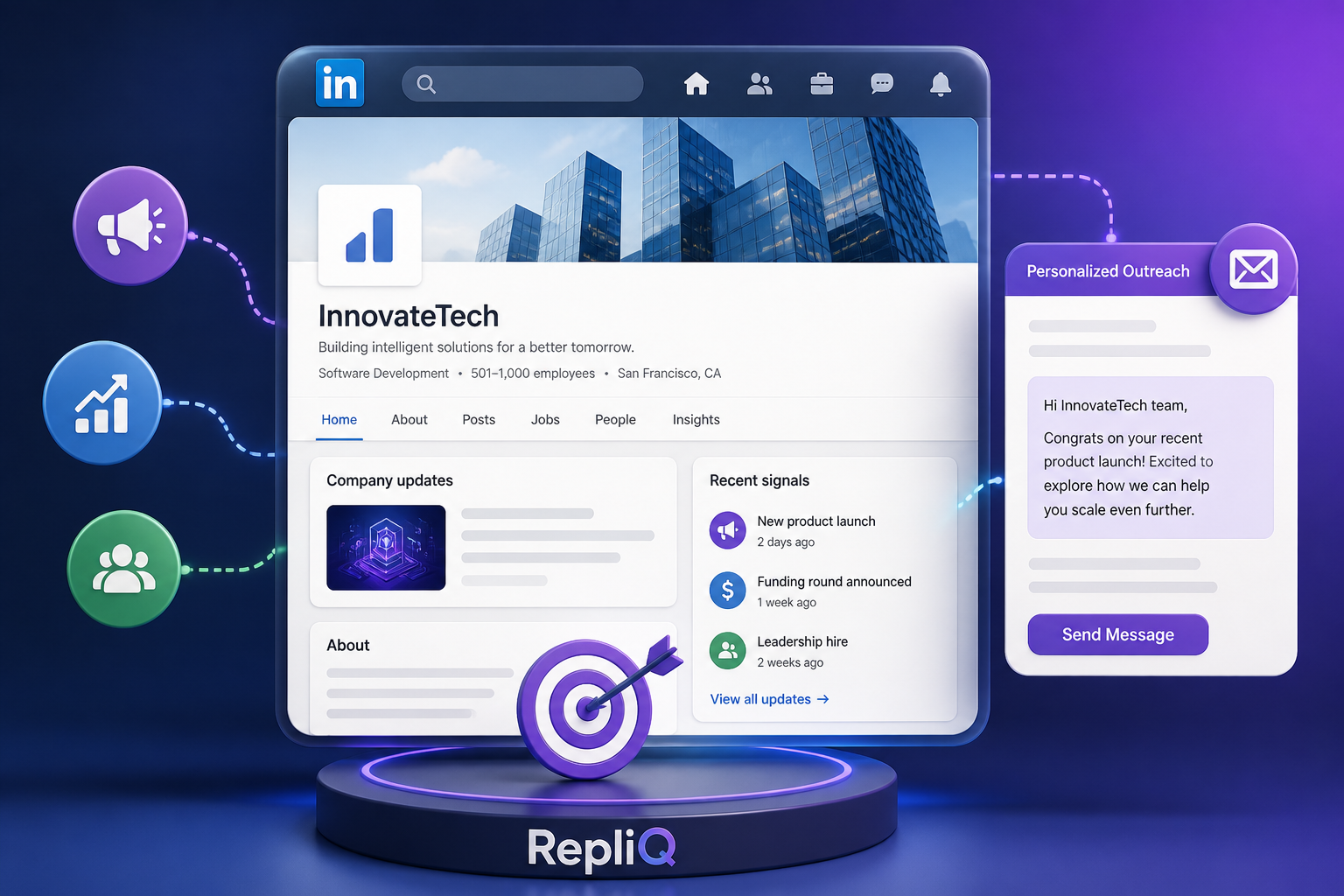
LinkedIn Company Page Personalization: A Practical Guide to More Relevant Sales Outreach
Effective personalization starts with understanding a company’s current business context—not simply adding the prospect’s name or mentioning a recent post they liked. For many beginner sellers, the challenge is clear: you know personalized outreach performs better in principle, but you often do not know which company-page details matter or how to turn them into a useful message.
This guide provides a practical solution. You will learn how to inspect a LinkedIn company page, identify a meaningful signal, connect it to a buyer’s role, and write a concise, low-pressure message. The differentiator here is a company-page-first workflow based on a simple sequence: observation → interpretation → relevance → question.
It is important to clarify that company updates are outreach context, not proof that a prospect is actively looking to buy. By focusing on publicly visible company updates, positioning, hiring, and business information, you can craft highly relevant messages without making assumptions. Below, we cover a complete research checklist, signal-to-message examples, role-specific templates, responsible AI usage, and a personalized video workflow.
Why LinkedIn Company Page Research Makes Outreach More Relevant
There is a vast difference between generic personalization and evidence-based business relevance. Superficial personalization—such as repeating a company name, complimenting a generic post, or mentioning an industry—fails to capture attention because it lacks substance. Contextual personalization, however, is tied to a visible business event.
LinkedIn company page research can reveal critical changes in priorities, positioning, hiring, product activity, expansion, leadership, or customer focus. But a company signal must be connected to the recipient’s role and a plausible business outcome before it belongs in an outreach message. The goal is not to summarize the company page; it is to find one useful reason for starting a conversation.
While deeper tools such as Sales Navigator, enrichment platforms, or AI writing tools help surface information, company-page research requires the seller to interpret its relevance. This process is the practical bridge between finding a company signal and using it in a credible message. For relationship-led outreach, LinkedIn’s official guidance on social selling serves as an external authority reference for relevant, relationship-focused outreach.
Personalization Is More Than Mentioning a Company Fact
Stating a fact is not the same as offering an insight. Consider the difference between these four steps:
- Observation: “You recently announced a new product launch.”
- Interpretation: “A launch may create a need for clearer market education or additional campaign content.”
- Relevance: “That may matter to a marketing or sales leader responsible for adoption.”
- Question: “Are you currently expanding how you explain the product to prospects?”
A message should never assume the company’s internal priorities. Instead, sellers must use a relevant question to validate their interpretation and start a dialogue.
The Right Amount of Research Before Outreach
A short, focused research process is far more effective than reading every company post or employee profile. The practical rule for B2B prospect research is simple: identify one recent, specific, role-relevant signal that can support a natural opening.
Excessive research can slow down prospecting and encourage messages that contain too many details, overwhelming the recipient. To stay efficient, record only the signal, its possible business implication, the recipient’s role, and the proposed question.
What to Look for on a Prospect’s LinkedIn Company Page
Reviewing a company page efficiently requires a prioritized checklist. Start with the company description and positioning, then move to recent activity and business changes.
Look for information that is:
- Recent enough to be relevant.
- Specific enough to support a message.
- Connected to a business priority.
- Relevant to the recipient’s role.
- Verifiable without making unsupported assumptions.
Treat promotional language carefully. A company announcement may describe an aspiration rather than a confirmed operational priority.
Company Description and Positioning
Review the company’s stated market, audience, product category, and current positioning. Note changes in wording, new markets, updated product descriptions, or a sharper focus on a particular customer group.
Avoid copying the company description directly into the message. Instead, use it to understand the context behind a more specific observation. Connect these positioning changes to possible outreach angles for marketing, sales, content, or customer-facing roles.
Recent Company Updates and Recurring Themes
Prioritize recent posts that reveal a launch, customer story, event, partnership, expansion, hiring push, or recurring strategic theme. Look for patterns across several updates rather than treating every routine post as a buying signal.
A recurring theme can provide stronger context than a single generic announcement. When writing your message, mention only the part of the update that helps the recipient understand why the message is relevant to them.
Hiring, Expansion, and Leadership Changes
Review hiring activity for roles that may indicate growth, a new function, geographic expansion, or an operational shift. Treat hiring as a possible business signal—not proof that the company needs a specific solution.
Look for leadership changes, new executives, or changes in functional ownership that may affect messaging relevance. Adapt your angle based on whether the recipient is a founder, marketing leader, sales leader, recruiter, or customer-facing executive.
Product Launches, Events, Customer Stories, and Rebrands
Identify public activity that may create a timely outreach context, such as:
- New product or feature launches.
- New market or geographic expansion.
- Events, webinars, or conference participation.
- Customer stories or published proof.
- Rebrands, new positioning, or updated visual identity.
Each signal may matter to some roles but not others. Always verify the timing and wording of the announcement before referencing it in your outreach.
The Signal-to-Message Framework: From Company Update to Outreach Hook
This framework is a repeatable method for converting research into a message. It helps sellers avoid both generic messages and unsupported claims.
- Observe a visible company signal.
- Interpret the possible business implication.
- Connect it to the recipient’s role and a relevant capability.
- Support the message with concise value or proof.
- Ask a simple, low-pressure question.
To execute this, use a short worksheet-style prompt before drafting:
- “What changed?”
- “Why might it matter?”
- “Who would care?”
- “What can I contribute?”
- “What question can test relevance?”
Map Common Company Signals to Outreach Angles
These are possible angles, not confirmed problems. Use them to hypothesize relevance before validating with a question.
| Company-page signal | Possible business implication | Relevant recipient | Potential outreach angle | Validation question |
|---|---|---|---|---|
| Hiring surge | Possible growth or capacity needs | Founder, recruiter, marketing/sales leader | Scaling onboarding or managing increased volume | How are you handling the increased communication bandwidth? |
| Product launch | Need for education, adoption, or market communication | Marketing, product, or sales leader | Creating enablement materials or campaign assets | Are you currently expanding how you educate the market on this feature? |
| Expansion | Need for localized or scalable outreach | Founder, growth, sales, or marketing leader | Adapting messaging for new regions or verticals | Is localizing your outreach a priority this quarter? |
| Customer story | Emphasis on proof and credibility | Marketing, sales, or customer success leader | Leveraging case studies in active sales cycles | Are your reps actively using this story in their pipeline conversations? |
| Event participation | Need to create conversations around a topic | Founder, sales, or marketing leader | Driving post-event follow-up and engagement | How are you continuing the conversation with attendees post-event? |
| Rebrand or positioning update | Messaging consistency or market education | Marketing or leadership roles | Ensuring the new narrative lands with prospects | Is it a challenge getting the new positioning adopted across the sales floor? |
Match the Signal to the Recipient’s Role
The same company update should produce different messages for different recipients. Avoid claiming that a role automatically owns a particular problem.
- Founder: Focus on growth, positioning, leverage, and efficient communication.
- Sales leader: Focus on relevant prospecting, pipeline conversations, and sales enablement.
- Marketing leader: Focus on campaign clarity, content, positioning, and audience education.
- Recruiter: Focus on communicating employer brand or making hiring activity more visible.
- Customer-facing executive: Focus on trust, proof, and communicating customer outcomes.
Apply the Freshness and Credibility Filter
Assess whether a signal is usable by running it through this filter:
- Fresh: Recent enough to explain why the message is being sent now.
- Specific: More useful than a broad company slogan.
- Relevant: Connected to the recipient’s responsibilities.
- Credible: Based on information the company has publicly shared.
- Actionable: Supports a natural question or useful offer.
How recent should a company-page signal be? Recency depends on the type of update, but you must be able to explain why the signal is still relevant now. Check the company page and any available public source before making a strong claim. Avoid unsupported assumptions, sensitive personal details, or statements that suggest private knowledge. Public information is context, not evidence of intent.
Before-and-After Examples of LinkedIn Company Page Personalization
Recognizing the difference between name-dropping and genuine relevance is vital. The strongest message usually contains one observation, one interpretation, one relevant value point, and one easy question.
Product Launch Example
- Weak version: "I saw your new product launch on LinkedIn. Congratulations! We help companies like yours generate more leads. Do you have 15 minutes to chat?"
- Why it fails: It compliments the launch but fails to connect it to the recipient’s responsibilities. It is highly assumptive.
- Stronger version: "I saw the recent launch of [Product Name]. Often, a new release requires an update to sales enablement materials so reps can communicate the value clearly. Are you currently expanding how you educate prospects on this new feature?"
- Why it works: It references the launch, connects it to a potential communication challenge, and asks if it is a priority. A marketing, product, or sales recipient would each receive a slightly tailored angle.
Hiring or Expansion Example
- Weak version: "I noticed your company is growing fast and hiring for sales roles. I’d love to show you our software."
- Why it fails: It assumes hiring means the company is ready to purchase a generic service.
- Stronger version: "I saw you are actively expanding the EMEA sales team. With new reps coming on board, maintaining messaging consistency can be a challenge. How are you handling onboarding outreach for the new hires?"
- Why it works: It references publicly visible hiring activity and asks how the team is handling a related communication need, without claiming they are ready to buy.
Rebrand or Positioning Example
- Weak version: "I love your new positioning: 'Empowering the future of digital workflows.' We can help you scale."
- Why it fails: It merely repeats the company’s new positioning language word for word.
- Stronger version: "I noticed the shift in your positioning toward digital workflows. Transitioning a brand narrative often means retraining the market on what you do. Is making this new message clear to enterprise prospects a priority right now?"
- Why it works: It recognizes the shift and connects it to the challenge of making the message clear, offering a relevant next step without implying the rebrand created a problem.
Low-Activity Company Page Example
When a company page has little recent activity, do not reference stale updates as if they were current. Instead:
- Use the About section and stable positioning.
- Review public hiring or leadership information where appropriate.
- Use the recipient’s professional context without pretending that a company signal exists.
- Lead with a relevant question instead of manufacturing urgency.
How to Write the Message: A Simple Formula for LinkedIn and Email
Turn the research framework into usable message structures for first contact and follow-up using this reusable formula:
- Observation: What the company publicly shared.
- Implication: Why it may matter to the business.
- Relevance: Why the recipient may care.
- Value or proof: What the sender can help with.
- Question: A low-friction invitation to respond.
Keep the first message concise and focused on one idea. Avoid overexplaining the research or listing several company facts.
LinkedIn Connection Request
A connection request should feel like the beginning of a conversation rather than a compressed sales page.
- Relevant company observation.
- Reason for connecting.
- No aggressive pitch.
Example: "Hi [Name], I saw [Company] just expanded into the UK market. I often share insights on localizing sales outreach for EMEA. Thought it would be great to connect and follow your progress."
LinkedIn Follow-Up
Follow up after a connection without repeating the original observation. Add one useful thought, relevant resource, or focused question. If a distinctive format is needed to break through text fatigue, a personalized video may make more sense than another text-only message.
Email Handoff
Company-page research can inform an email without making the email feel like surveillance. Use the same observation-to-question structure, but keep the subject line accurate and non-sensational.
Distinguish LinkedIn-native context from broader email compliance obligations. When sending commercial emails, ensure accurate sender information, truthful subject lines, commercial identification, and opt-out mechanisms as outlined in the FTC CAN-SPAM compliance guide. For UK or EU audiences, refer to the ICO direct marketing guidance and GDPR legal grounds for marketing data. This is for informational purposes and not legal advice.
When to Use Personalized Video Instead of Text
Video should support a strong company-page insight rather than compensate for weak research. https://repliq.co/ai-videos offers an execution layer that helps turn public company context into personalized video outreach.
Recommend video when:
- The message benefits from a visual explanation.
- The sender wants to add a human introduction.
- The company signal relates to content, positioning, a launch, or customer-facing communication.
- A follow-up needs a more distinctive format than another text message.
Recommend text when the insight is simple, the recipient is unlikely to watch a video, or the initial message only requires a short question. A short personalized video can reference one company signal and one relevant idea without becoming a full product demonstration. Always conduct a human review before publishing or sending any AI-assisted video to confirm the company detail, pronunciation, role, and message are accurate.
A Short Personalized Video Structure
- Address the recipient.
- Mention the verified company signal.
- Explain why it caught the sender’s attention.
- Offer one relevant idea or capability.
- Ask a low-pressure question.
Keep the video focused on the recipient’s context rather than making it a generic brand presentation. Do not reveal private or sensitive information.
Using AI to Scale Company-Page Personalization Without Sounding Automated
AI can reduce research and drafting effort while preserving accuracy and a human tone, provided it is used responsibly.
Suitable AI tasks include:
- Summarizing public company updates.
- Categorizing signals by type.
- Suggesting possible role-specific angles.
- Drafting message variations.
- Converting a verified message into a video script.
Tasks that require human review:
- Confirming the signal is current and accurately represented.
- Deciding whether the signal is genuinely relevant.
- Checking that the recipient’s role matches the message.
- Removing invented implications or exaggerated claims.
- Choosing the final CTA.
A reusable prompt structure for your AI tool:
- Company signal: [Insert verified signal]
- Source or quoted context: [Insert source]
- Recipient role: [Insert role]
- Offer or capability: [Insert your value]
- Tone: [Professional, conversational, concise]
- Message length: [Under 75 words]
- Prohibited assumptions: [Do not assume they are ready to buy or experiencing a crisis]
Unlike tool-led enrichment or copy-coaching platforms that simply locate or phrase information, this workflow requires the human seller to defend the relevance of the message. Never instruct AI to infer private intent, fabricate a company need, or turn an ambiguous update into a definitive claim.
A Lightweight Workflow for Consistent Personalization
- Select the account and recipient.
- Inspect the company page.
- Capture one verified signal.
- Interpret its possible business meaning.
- Map it to the recipient’s role.
- Draft two or three concise variants.
- Review for accuracy and tone.
- Send the message or create a short video.
- Record the response and refine the approach.
A shared worksheet or CRM field can improve consistency without forcing identical templates. For additional guidance on social selling, personalization, and outreach workflows, explore the https://repliq.co/blog.
Responsible Use of Public Company Information
Publicly visible information is not automatically proof of consent, purchase intent, or permission to make personal assumptions.
Sellers should always:
- Use business-relevant information only.
- Avoid sensitive personal details.
- Represent company announcements accurately.
- Verify facts before mentioning them.
- Give recipients a clear and respectful way to disengage where applicable.
Distinguish company context from personal profiling. Compliance requirements can differ by channel, location, recipient type, and applicable law. Review the ICO direct marketing guidance and GDPR legal grounds for marketing data for UK/EU considerations, and the FTC CAN-SPAM compliance guide for U.S. requirements. Always check with qualified counsel where appropriate.
A Five-Minute LinkedIn Company Page Research Checklist
Apply this compact checklist before sending outreach:
- Company context: What does the company do and who does it serve?
- Recent activity: What changed or was announced recently?
- Signal quality: Is the information specific, current, and verifiable?
- Business implication: Why might this matter?
- Recipient relevance: Why might this person care?
- Message angle: What useful observation or idea can be shared?
- Question: What is the easiest relevant question to ask?
- Accuracy check: Have all assumptions been removed?
- Channel choice: Is text, email, or video most appropriate?
The "Do Not Send Yet" Test: Stop if the message depends on an unverified assumption, the signal is stale or routine, the connection to the recipient is unclear, or the message contains several unrelated observations.
How to Evaluate and Improve Your Personalization
Compare three levels of outreach to test message quality:
- Generic message with no research.
- Prospect-level message using role or profile context.
- Company-page-informed message using one timely, relevant business signal.
Evaluate messages for specificity, relevance to the role, evidence quality, clarity, human tone, CTA simplicity, and accuracy/compliance. Track operational indicators such as positive responses, questions received, accepted conversations, or useful objections. While a peer-reviewed study on email personalization demonstrates the value of tailored messaging, findings from specific research settings should not be generalized as a guaranteed outcome for every LinkedIn or sales scenario. Test one change at a time when comparing formats or message angles.
Common Mistakes in LinkedIn Company Page Personalization
Address these beginner errors to refine your approach:
- Copying a company post without adding interpretation: Correction—always explain why the observation matters using the observation-to-question framework.
- Mentioning an old update as if it were current: Correction—only use fresh signals or pivot to stable company positioning.
- Treating hiring or expansion as proof of buying intent: Correction—frame it as a possible operational shift, not a confirmed problem.
- Sending the same message to every role: Correction—tailor the implication to the recipient's specific responsibilities.
- Adding too many researched details: Correction—stick to one signal and one idea per message.
- Letting AI invent business implications: Correction—human review must strip out fabricated claims.
- Using video when a short text message would be clearer: Correction—reserve video for visual explanations or differentiated follow-ups.
- Making the CTA too demanding: Correction—ask a simple, low-pressure question that only requires a yes/no or short answer.
The gap between tools that help find data and the judgment required to select a meaningful signal is where true sales professionalism lies.
Conclusion: Turn Company Context Into a Better Outreach Conversation
Effective personalization is not about proving how much research was done; it is about making the message more useful to the recipient. The central process is straightforward: inspect the company page, select one recent and relevant signal, interpret its possible business meaning, connect it to the recipient’s role, write a concise message, and validate assumptions with a simple question.
Begin with a small batch of accounts and use the checklist before adding more complex automation. For those ready to turn public company context into scalable personalized video outreach without requiring every video to be created from scratch, explore https://repliq.co. RepliQ helps make company and LinkedIn context usable in personalized video outreach.
Frequently Asked Questions About LinkedIn Company Page Personalization
How do you research a prospect’s LinkedIn company page?
Follow a recommended order: check the About section, recent updates, hiring and expansion signals, launches, customer stories, leadership changes, and recurring strategic themes. Emphasize capturing one relevant signal rather than summarizing the entire page.
What should you look for before reaching out?
Prioritize recent, specific, verifiable business changes that connect to the recipient’s role. Routine promotional posts or stale updates are usually weaker foundations for personalization.
How can company updates personalize a sales message?
Use the update as the observation, explain a possible implication, connect it to a relevant capability, and ask a question that tests relevance. Do not treat an update as proof of intent.
How do you avoid sounding automated?
Use one specific signal, avoid copied language, keep the message concise, and add a role-relevant question. Always have a human review AI-generated drafts for accuracy, tone, and unsupported assumptions.
What if the company page has little recent activity?
Use stable company positioning, relevant public business information, and the recipient’s role without manufacturing a timely trigger. Ask a useful question rather than forcing urgency.
Can AI create personalized outreach from LinkedIn research?
AI can help summarize public information and draft variations, but it should not invent intent or replace human verification. To convert validated research into personalized video outreach, review https://repliq.co/ai-videos.
When should I use video instead of a text message?
Recommend video when a human introduction, visual explanation, or differentiated follow-up adds value. Recommend text when the insight is simple or the recipient is likely to prefer a quick response.


