
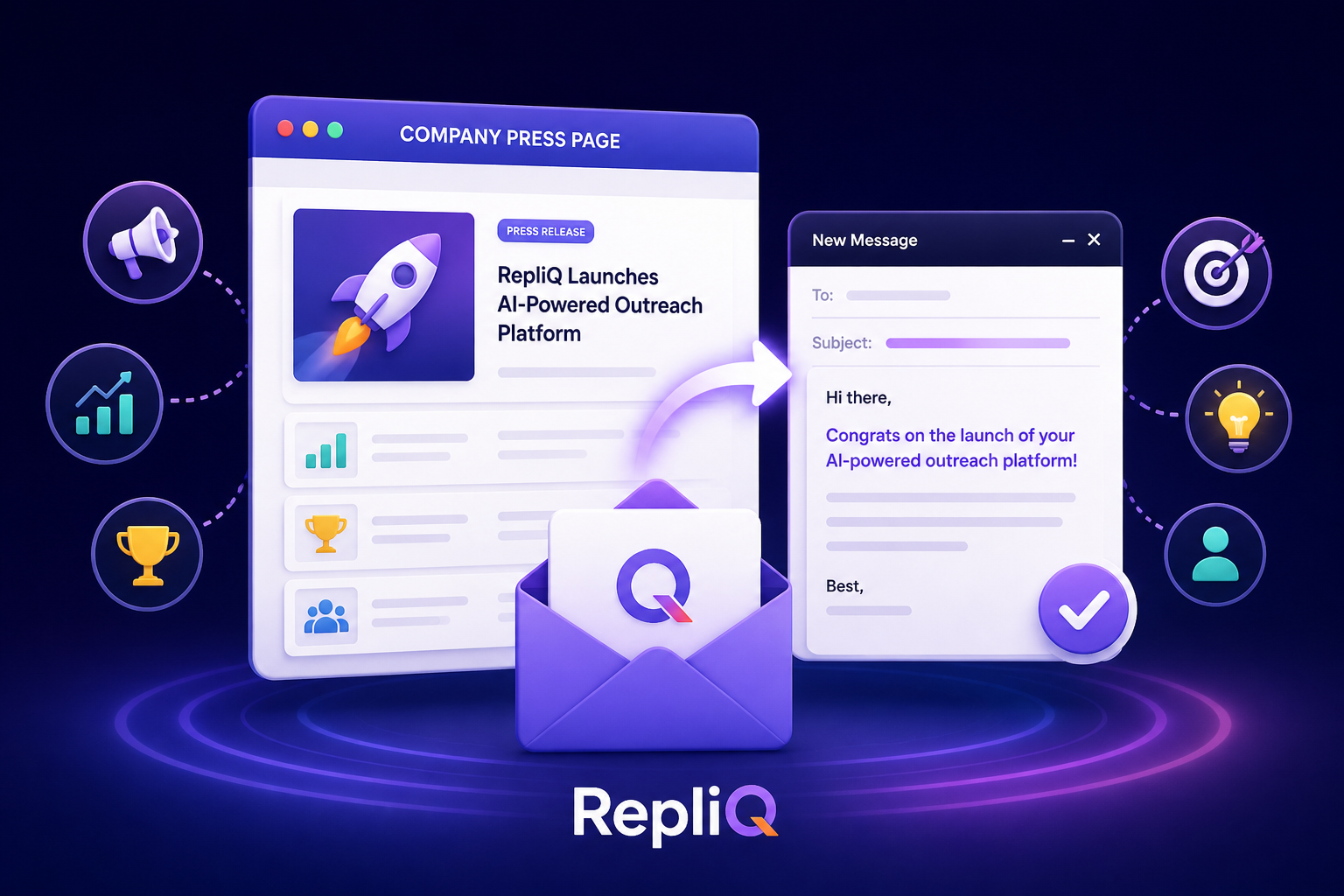
How to Personalize Cold Outreach Using a Company’s Press Page
Table of Contents
- Introduction: Why Press Pages Are Valuable for Outreach Research
- What Makes Company Press Page Research Useful for Personalization?
- A Step-by-Step Press-Page-to-Outreach Workflow
- How to Judge Whether Company News Is Relevant
- Turning an Announcement Into a Personalized Opening Line
- Announcement Types and Possible Outreach Angles
- How to Scale Press-Page Research Without Losing Accuracy
- Common Mistakes in News-Based Outreach
- Compliance and Quality-Control Checklist
- Conclusion: Use Company News as Context, Not a Shortcut
- FAQ
Introduction: Why Press Pages Are Valuable for Outreach Research
Generic personalization based solely on a prospect’s job title, industry, or website headline often feels interchangeable. When every sales professional uses the same basic firmographic data to craft their emails, the resulting messages blend into a wall of predictable noise. To stand out, modern outreach requires deeper context.
This is where the company press page becomes an invaluable first-party source for current business intelligence. Official press pages document launches, partnerships, funding rounds, market expansions, leadership changes, hiring initiatives, awards, and customer news. When you master personalized cold outreach using a company’s press page, you unlock a wealth of verified information that can transform a cold email into a highly relevant conversation starter.
This guide will show you exactly how to find a relevant announcement, verify the facts, connect the event to a recipient’s specific role, and convert that research into a concise outreach line. The goal is not to blindly repeat a headline or make unsupported assumptions about a company's internal struggles. Instead, the objective is to use confirmed company context to establish a credible, evidence-based reason for contacting your prospect.
By following the manual and scalable workflows, examples, freshness checks, and compliance considerations outlined below, you can master company press page research and execute news personalization that actually resonates with your buyers.
What Makes Company Press Page Research Useful for Personalization?
An official press page provides far more precise context than generic firmographic data or broad industry assumptions. While firmographics tell you what a company is, press releases tell you what a company is actively doing. This company news research reveals current business activity, though it is critical to remember that not every announcement automatically translates into immediate buying intent.
Effective sales prospecting research requires distinguishing between company context and recipient relevance. A company may announce a major industry event, but your outreach must still logically connect that event to your recipient’s daily responsibilities.
While alternative discovery sources like LinkedIn company pages, Google News, PR Newswire, and Business Wire are helpful for unearthing announcements, the company’s official press page remains the gold standard. Third-party sources can help you discover news, but the company’s own announcement is the preferred source for verifying exact wording, publication dates, and business context. Relying on verified company context operationalizes your account research, establishing a stronger factual basis for your outreach than relying solely on broad database enrichment or basic email editing.
The Difference Between Interesting News and Useful Outreach Signals
Not all news justifies an email. News is most useful when it carries a clear business implication and a plausible connection to the recipient’s role. Stronger signals for trigger-based outreach include funding rounds, product launches, strategic partnerships, geographic expansion, leadership appointments, hiring surges, and major customer announcements.
Meaningful signals stand in stark contrast to weak personalization. Simply repeating a company’s tagline, mentioning a three-year-old award, or congratulating a prospect on news entirely unrelated to their department will not drive engagement.
To determine if an announcement is a useful signal for relevant outreach personalization, apply a simple test: Is it recent, specific, relevant, and connected to a reasonable business problem? If it passes this test, it is a prime candidate for company news personalization.
Why Verification Matters
Before drafting your message, you must verify the facts. Always record the announcement title, publication date, source URL, and the exact confirmed detail you plan to reference.
Failing to verify your sources introduces the risk of relying on an outdated announcement, a flawed third-party summary, or a wild interpretation that the company never actually stated. When executing press release personalization, you must preserve the original meaning of the announcement when shortening it for your email. Source verification ensures your verified company news remains factually accurate, protecting your credibility as a sender.
A Step-by-Step Press-Page-to-Outreach Workflow
To consistently turn news into pipeline, you need a structured approach. The core repeatable workflow for personalized cold outreach consists of six stages: find, verify, interpret, map, draft, review.
This account research workflow is concise enough for routine daily prospecting, yet structured enough to prevent sales reps from making unsupported claims. It is the foundation of effective trigger-based selling.
Step 1 — Find a Recent Announcement
Begin your company press page research on the target account's official press, news, newsroom, media, or investor-relations page. Scan for announcements that indicate a meaningful operational change rather than routine corporate updates or fluff.
If the official page is difficult to navigate, leverage third-party search engines or news aggregators for discovery, but always return to the company’s official website to confirm the details. Before drafting any outreach, record the publication date and the source URL. Even if the final email does not include a visible source link, citing the original announcement internally during your company news research ensures your sales prospecting research remains grounded in reality.
Step 2 — Verify the Confirmed Fact
Next, extract one specific fact that the official company announcements clearly confirm. Check the publication date, verify the named organizations, note specific product or partnership details, and review any quoted language from executives.
Avoid treating promotional marketing language as definitive proof of business performance or customer impact. The key to press release research is separating exactly what the announcement says from what you, the salesperson, believe it might mean. Source-backed personalization relies on undeniable facts.
Step 3 — Identify the Likely Business Implication
Once you have a verified fact, ask what operational change the announcement could create. Do not present this implication as an absolute certainty.
Cautious interpretations of business context personalization might include the need for increased cross-departmental coordination following a partnership, new go-to-market messaging needs after a product launch, or additional workflow complexity during a geographic expansion.
Use cautious language such as “may,” “could,” or “often” when moving from a confirmed fact to a reasonable hypothesis. Never assume budget availability, extreme urgency, deep internal pain, or specific corporate priorities unless the source explicitly confirms them. This is the hallmark of professional sales trigger research and relevant outreach personalization.
Step 4 — Map the News to the Recipient’s Role
The same company announcement can produce entirely different outreach angles depending on who you are emailing. A new product launch means something different to a VP of Marketing than it does to a Director of Customer Success.
Ask yourself whether the recipient is likely to influence, own, or be directly affected by the potential business implication you identified. Keep the role connection specific, but avoid claiming intimate knowledge of the recipient’s internal responsibilities. Role-based personalization ensures your personalized email opening lines resonate deeply during recipient research.
Step 5 — Connect the Context to a Relevant Offer
Now, transition from the company event to a specific problem or outcome that your product can credibly address. Ensure your offer follows logically from the research; do not force a rigid product pitch into an unrelated announcement.
Keep the transition short and seamless: state the company event, note the likely implication, introduce your relevant value, and end with a low-friction next step. Introduce RepliQ as a practical way to turn verified company context into personalized outreach at scale. RepliQ helps automate the discovery and structuring of this data, ensuring your news-based outreach and personalized cold email campaigns maintain a highly relevant outreach value proposition.
Step 6 — Draft and Review the Message
When drafting, limit the news reference to one or two concise sentences. Ensure the opening sounds natural and conversational—do not simply copy and paste the press-release headline.
Review every factual statement against your original source before hitting send. Strip away any details that are too old, overly vague, highly promotional, or unrelated to the prospect’s daily role. This strict personalized outreach workflow guarantees your personalized email opening lines drive conversions in cold outreach personalization at scale.
How to Judge Whether Company News Is Relevant
Not all news is created equal. To evaluate announcements, use a practical rubric based on four criteria: recency, specificity, role relevance, and business connection.
There is no universal freshness window that applies to all news. The useful lifespan of an announcement depends entirely on its type and whether it still reflects an active, ongoing business change. Prioritize announcements that are recent enough to feel timely and significant enough to support a natural, unforced conversation. This is the core of effective news personalization, relevant company news selection, and trigger-based outreach.
The Recency and Relevance Checklist
Before using an announcement in your press page research checklist, ask these five questions:
- Is the announcement current enough to be meaningful to the business today?
- Is the source official and easy to verify?
- Does it describe a concrete event rather than a generic corporate statement?
- Is there a reasonable, logical connection to the recipient’s role?
- Can the sender explain why the news matters without overclaiming or sounding arrogant?
If the news is stale, vague, unrelated, or impossible to connect to a useful business outcome, exclude it from your account research checklist. Rely only on recent company news that passes this test.
What to Do When a Company Has Multiple Announcements
When a company has a busy press page, rank the announcements by role relevance and the clarity of the business implication, rather than automatically choosing the newest item.
Use one primary signal in your opening line and keep the other news in your notes as background research. Avoid the temptation to combine several announcements into a long, crowded email introduction. If no announcement supports a credible angle for your specific buyer, do not force news-based personalization. Effective company announcement research and sales prospecting research require knowing when to use a trigger and when to rely on a different personalized cold outreach strategy.
Turning an Announcement Into a Personalized Opening Line
The most effective way to structure your message is to use a simple, repeatable formula: Specific announcement + cautious implication + role-relevant transition.
This structure preserves factual accuracy while ensuring the line sounds conversational. Always mention a specific detail from the announcement rather than using vague, empty praise such as “I saw your exciting news.” Transition smoothly from their context to your relevance without making the recipient feel overly monitored. For templates and examples on converting research into concise copy, explore our personalized lines resource to master how to personalize cold email with company news.
Before-and-After Example Framework
To understand the difference between weak and strong company news email personalization examples, consider this generic framework:
- Weak: “Congrats on the exciting partnership. I’d love to connect to show you our software.”
- Stronger: “I saw the announcement this morning regarding your new strategic partnership with [Company X]. Partnerships of that scale often require marketing teams to rapidly realign their co-branded messaging, which is why I am reaching out.”
The stronger version is vastly more useful for relevant outreach personalization. It is specific, evidence-based, and directly tied to a relevant reason for contacting a marketing leader. Insert only details explicitly confirmed by the official announcement to maintain credibility in your personalized cold email.
A Concise News-Based Outreach Structure
When drafting your cold email opening line, follow this recommended message flow:
- Specific reference: Acknowledge the exact announcement.
- Brief explanation: Note why it may matter to the recipient’s role.
- Value proposition: Introduce your relevant value (e.g., how RepliQ solves the implied challenge).
- Call to action: End with a simple, low-pressure question or next step.
Keep the opening hyper-focused on the recipient’s context rather than your features. Avoid turning the email into a lengthy summary of the entire press release. A streamlined personalized outreach template is the key to successful news-based outreach.
Announcement Types and Possible Outreach Angles
Different announcements require different approaches. The following mapping guide outlines how to translate company news research into cautious hypotheses for trigger-based selling. Remember, these sales triggers for personalized outreach are hypotheses, not proven facts about the company’s internal priorities.
| Announcement Type | Confirmed Signal | Cautious Implication | Possible Role Connection | Personalization Caution |
|---|---|---|---|---|
| Funding | Capital raised. | Growth activity, scaling operations. | Founders, RevOps, Sales Leaders. | Do not assume they have immediate budget for your tool. |
| Product Launch | New feature/product live. | Need for new messaging, enablement, or demand gen. | Product Marketing, Enablement, Sales. | Only reference if relevant to the recipient's domain. |
| Partnership | Two companies aligning. | GTM complexity, coordination needs. | Channel Sales, Marketing, Ops. | Do not claim the partnership is currently causing problems. |
| Expansion | New market/geography. | Localization, operational scale. | Regional Directors, Ops, HR. | Avoid assuming immediate hiring in that specific region unless stated. |
| Leadership | New executive hired. | Strategic shifts, new tool evaluations. | Department heads, peers. | Use very careful wording; do not insult the previous leadership. |
| Hiring | Headcount growth. | Onboarding needs, process strain. | HR, Talent, Team Leads. | Treat as evidence of growth, not proof of a specific internal crisis. |
| Awards | Industry recognition. | Brand momentum. | Marketing, PR, Executives. | Use as supporting context, not a standalone sales trigger. |
| Customer News | New enterprise client. | Delivery scale, case study generation. | Customer Success, Account Management. | Do not imply knowledge of confidential internal outcomes. |
Funding, Launches, Partnerships, and Expansion
Funding announcement outreach may suggest broader growth activity, but you must caution against assuming a specific buying initiative is underway. Product launch personalization should connect to possible messaging or enablement needs only when emailing relevant marketing or sales leaders. Partnership announcement outreach can highlight potential go-to-market complexity without claiming the partnership is inherently flawed. Expansion announcements serve as excellent context for localization or new-market outreach.
Leadership Changes, Hiring, Awards, and Customer News
Leadership change outreach provides highly timely context but requires especially careful, respectful wording. Hiring announcement personalization should be used as evidence of team growth, not as proof that their current processes are broken. Treat awards as supporting context to warm up an email rather than a standalone reason to buy. Finally, utilize customer news research only when your outreach angle is highly relevant and does not imply insider knowledge of their client operations.
How to Scale Press-Page Research Without Losing Accuracy
Scaling personalization is a challenge. While a manual workflow is great for a few key accounts, a scalable workflow is required for teams managing large territories. Automation and AI should be positioned as support for discovery, data extraction, and drafting—they are not a replacement for source verification or human judgment.
A structured research record ensures quality. Whether manual or automated, capture these fields: Company name, Announcement title, Publication date, Source URL, Confirmed fact, Possible business implication, Recipient role, Draft opening line, and Human review status.
AI-assisted workflows create massive scale but increase the importance of preserving source context and reviewing generated copy. For readers who want additional guidance on scalable personalization and outbound workflows, visit the RepliQ blog. Unlike broader database-led approaches that merely flag a company signal without context, RepliQ’s workflow operationalizes the exact interpretation and verification of specific announcements, ensuring your cold outreach personalization at scale remains hyper-relevant.
A Five-Minute Manual Research Process
For critical accounts, use this manual account research workflow:
- Scan the official press page for recent, substantive announcements.
- Select one item with a clear relationship to the prospect’s role.
- Record the exact source URL and confirmed fact.
- Write one cautious implication and one relevant transition.
- Review the final line for accuracy and remove anything that cannot be supported by the source.
This press page research workflow guarantees a highly personalized outreach process.
A Team or Tool-Assisted Process
To achieve personalization at scale, standardize the fields every researcher or tool must capture. Use automation to identify announcements and draft possible lines, but strictly require the source URL and date to remain attached to the draft for verification.
Create strict review rules to catch stale news, unsupported assumptions, copied headlines, and role mismatches. Encourage your team to maintain consistent quality standards without making every AI outreach research message sound identical. Source-backed outreach relies on strict operational discipline.
Common Mistakes in News-Based Outreach
Even a timely reference can severely damage your credibility if it is inaccurate, overconfident, or irrelevant. Avoid these common personalization mistakes to maintain cold outreach best practices:
- Mentioning old or stale news: Referencing a two-year-old press release shows you aren't paying attention.
- Repeating a headline: Copying the exact headline without explaining its relevance sounds automated and lazy.
- Assuming the news proves a pain: An announcement is a fact, not a confession of a business problem.
- Wrong recipient: Congratulating a developer on a marketing award shows a lack of role awareness.
- Citing unverified third-party coverage: Always check the official source to ensure accuracy.
- Including too many announcements: Stuffing three different news items into one email is confusing.
- Overusing praise: Excessive flattery sounds like automated monitoring software, not a human.
- Writing a novel: Making the email longer than the value proposition requires will kill your reply rate.
Focusing on relevant outreach personalization means keeping it brief, accurate, and tied to a business outcome.
Compliance and Quality-Control Checklist
Relevant personalization does not exempt you from following applicable email marketing and privacy requirements. Responsible personalization requires strict adherence to legal frameworks.
Before launching your campaign, review this pre-send checklist:
- Ensure a truthful sender identity and subject line.
- Clearly identify the sender or organization.
- Include a required physical address or business information where applicable.
- Provide a clear, accessible opt-out or unsubscribe mechanism.
- Ensure prompt handling of all unsubscribe requests.
- Appropriately use publicly available information without violating data policies.
- Maintain accurate source references and avoid misleading claims.
For specific guidelines on truthful headers, sender identification, and opt-out mechanisms in the US, consult the FTC CAN-SPAM compliance guide. For rules regarding consent, publicly available contact details, and direct email marketing in the UK, review the ICO email marketing guidance. Ensure your cold email compliance and email marketing compliance practices are always jurisdiction-aware.
Final Source and Message Review
Before sending, conduct an outreach quality control check. Confirm that every company-news claim can be traced directly to the official announcement. Verify the date to ensure the event remains relevant. Check that the recipient’s role is a reasonable match for your outreach angle. Finally, ruthlessly remove unsupported statements about budget, urgency, growth, pain points, or buying intent. A strict source verification checklist is the backbone of a professional personalized email review.
Conclusion: Use Company News as Context, Not a Shortcut
To recap the core method: find a recent official announcement, verify the facts, identify a cautious business implication, map it to the recipient’s role, and draft a concise, relevant opening line.
Effective news personalization is not about proving to the prospect how much research you completed. It is about giving the recipient a credible, logical reason for your message. Start with one account and apply the recency, relevance, and accuracy checklist before attempting to scale your efforts.
When you are ready to convert verified company-news research into personalized outreach lines more efficiently, explore RepliQ for evidence-based personalization workflows. For broader outbound personalization guidance, visit the RepliQ blog and start elevating your personalized cold outreach, news personalization, and company press page research today.
FAQ
How do you research a company’s press page before sending outreach?
Start by navigating to the target company's official press or newsroom page. Select a recent, substantive announcement rather than corporate fluff. Record the publication date and the exact source URL, and carefully check the announcement's relevance to your specific recipient’s role before drafting your email. This ensures your company press page research is factual and targeted.
What company news is relevant for personalized cold outreach?
Possible signals include funding rounds, product launches, strategic partnerships, geographic expansion, leadership changes, hiring surges, awards, and customer announcements. However, relevance is subjective; it depends entirely on the recipient’s role and whether you can draw a logical connection to a legitimate business outcome. These are the most reliable sales triggers for personalized outreach.
How do you turn a press release into a personalized email opening line?
Use this proven structure: state the specific confirmed detail, introduce a cautious business implication, and provide a role-relevant transition. Never copy the headline verbatim, and strongly avoid making the announcement sound like definitive proof of an internal pain point. This approach yields the most effective personalized email opening lines and press release personalization.
How recent should company news be before referencing it?
There is no single universal cutoff date. You must prioritize news that is recent, still operationally meaningful, and directly connected to your current outreach context. Always exclude stale or superseded announcements to ensure your news personalization remains highly relevant.
How can teams scale press-page research while preserving accuracy?
Teams should rely on structured research fields, document source URLs, utilize automated discovery or drafting tools, and enforce mandatory human review. Scaling should never remove the verification process or role-level relevance checks. While AI-assisted research aids in cold outreach personalization at scale, human oversight ensures tone and accuracy. For further insights into the data behind personalization, you can review peer-reviewed research on email personalization and this field experiment on personalized email.


