.png)
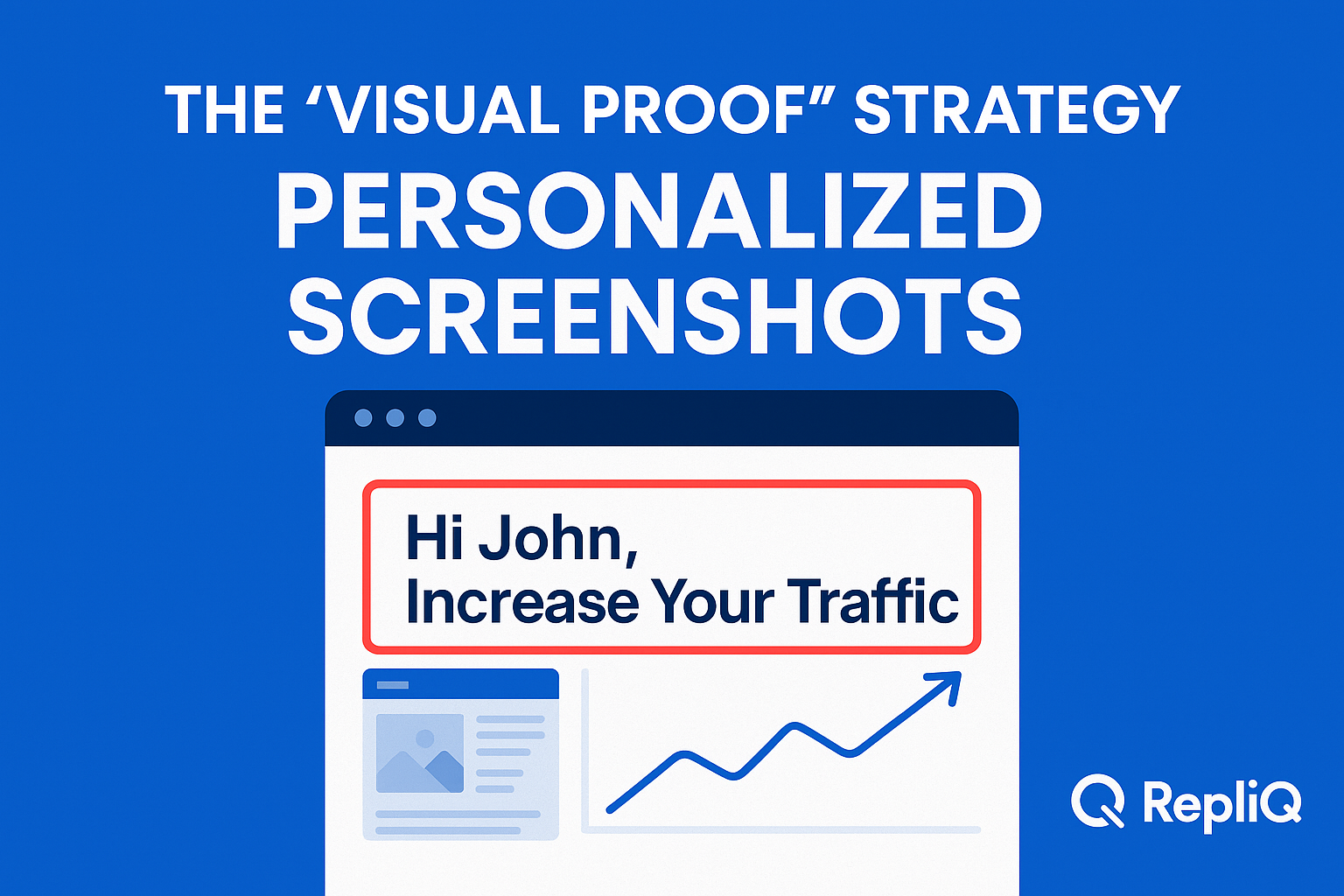
Everything You Need to Know About Visual Proof Outreach Using Personalized Screenshots
Table of Contents
- Introduction
- What Visual Proof Outreach Means
- Why Personalized Screenshots Increase Trust
- What to Include in a Credibility-Building Screenshot
- Screenshots vs Video vs Landing Pages
- How to Scale Visual Proof Workflows
- Tools & Resources for Visual Proof Outreach
- Future Trends in Visual Personalization
- Conclusion
- FAQ
Introduction
One of the biggest hurdles beginners face in modern sales is the dreaded cold email black hole. Generic outreach gets ignored because it asks prospects to trust your claims without offering any visible proof.
Consider the contrast between a plain, text-only cold email that says, "I noticed some conversion issues on your website," and a message that includes a relevant, personalized screenshot showing the exact page and the specific issue. The former is easily dismissed as spam; the latter immediately commands attention because it provides visible context.
This distinction matters more now than ever. Buyer skepticism is rising, and AI-generated outreach is flooding inboxes, making messages feel increasingly generic. In this environment, trust signals matter immensely on the first touch.
This guide provides a beginner-friendly framework for using visual proof outreach. By leveraging personalized screenshots as "proof objects," you can make your outreach claims believable and compelling without needing to record a custom video for every single lead. It is a practical, simple, and action-oriented approach to building credibility visuals that drive replies.
At RepliQ, we have built our foundation on practical, screenshot-led workflows that help teams deliver personalized visual outreach at scale. Whether you are just starting or looking to optimize your current campaigns, this guide will show you how to turn screenshots into your most valuable outreach asset. If you want to dive deeper into outbound strategies after reading, you can explore our other resources here: https://repliq.co/blog.
What Visual Proof Outreach Means
Visual proof outreach is the practice of embedding a personalized visual—typically a screenshot—into your message to show that you have actually looked at the prospect's specific business context. It is a lightweight method to make a cold message feel credible, compressing relevance into a single glance.
This strategy is entirely different from generic personalization. Simply inserting a prospect's first name or swapping in dynamic text like their company name does not prove you understand their pain points. Visual proof outreach visually substantiates why you are reaching out.
Common use cases include:
- Cold email outreach
- Prospecting screenshots on LinkedIn
- Website screenshot personalization for inbound follow-ups
- Follow-up messaging where visible context matters
To understand the impact, consider this simple before-and-after framework:
- Before (Text-Only): "I noticed a conversion opportunity on your site."
- After (Visual Proof): A screenshot of the prospect's specific pricing page with a short, clear annotation pointing to a missing call-to-action button.
When beginners ask, "What is visual proof in outreach?" the answer is simple: it is evidence. According to the Stanford web credibility guidelines, visible professionalism, transparency, and relevance directly affect how quickly people make credibility judgments. Unlike competitor narratives that focus on "personalization for attention"—which often relies on gimmicks—visual proof is about personalization for trust.
How Visual Proof Differs From Generic Personalization
There is a massive divide between personalization for novelty and personalization for proof. Novelty might involve holding up a whiteboard with the prospect's name on it. It grabs attention but fails to build a business case.
Credibility visuals, on the other hand, reduce the need for the prospect to imagine why your message is relevant—you make it undeniably visible. A screenshot should always support a specific claim in your message, acting as evidence rather than mere decoration. This targeted visual personalization builds immediate outreach credibility.
Why This Strategy Works Especially Well for Beginners
If you are new to sales personalization, visual proof is the perfect starting point. Personalized screenshots are vastly lower effort than recording custom personalized video, yet they still feel highly relevant to the recipient.
They are easier to create, simpler to repeat across campaigns, and much faster to Quality Assure (QA) before sending. Best of all, beginners do not need graphic design skills to execute this strategy. In visual proof outreach, clarity always matters more than polish.
Why Personalized Screenshots Increase Trust
Personalized screenshots tap directly into trust psychology. When a prospect opens an email and sees a recognizable image of their own website or public business asset, several trust-building mechanisms trigger at once:
- They show immediate account familiarity.
- They reduce natural skepticism around generic sales claims.
- They make your relevance visible before the prospect even reads the text.
- They help prospects process your core point faster than plain text ever could.
This translates directly to first-touch outreach performance. When targeting, message, and proof are aligned, personalized screenshots improve email response rates, increase click potential, and remove the friction of understanding why the email matters.
According to NIST guidance on message credibility, the believability of a message is heavily dependent on the perceived source credibility and the factual grounding of the claim. Furthermore, as noted in CDC visual communication resources, visuals strongly reinforce written messages when they clearly and accurately support the main point. Screenshots are especially effective when the prospect needs to grasp your context quickly.
The Trust Signals a Screenshot Communicates at a Glance
When you use credibility visuals, you are communicating several powerful sales credibility signals instantly:
- "I actually looked at your business."
- "This isn’t an automated bulk blast."
- "My recommendation is grounded in something visible and real."
- "I am not asking you to do heavy reading to understand my point."
In proof-based prospecting, relevance always beats visual complexity. A simple, relevant screenshot builds more trust than a highly designed but generic graphic.
Why Text-Only Outreach Often Fails to Feel Credible
Text-only outreach struggles to communicate relevance because it asks the reader to trust entirely unsupported claims.
When you use generic lines like "I have an idea for your website" or "I can improve your workflow," you create work for the prospect. They have to read your text, imagine how it applies to their business, and decide if they believe you. This effort leads to the low reply rates from generic outreach that plague modern sales teams. Cold email screenshots bypass this friction by anchoring the message in immediate, undeniable context.
How to Avoid the “Creepy” Personalization Problem
One of the biggest concerns for beginners is crossing the line from relevant to invasive. Overpersonalized outreach feels creepy when it highlights overly personal details (like a prospect's family photo from Facebook) or tries too hard to impress.
To avoid this, only use public, relevant, business-context visuals. Website screenshot personalization should focus strictly on helpfulness over novelty:
- Focus on their website, sales funnel, landing page, or public company asset.
- Avoid irrelevant personal details entirely.
- Keep your annotations useful, professional, and respectful.
What to Include in a Credibility-Building Screenshot
To succeed with personalized screenshot outreach, you need to treat the image as a visual argument. Every element inside the frame should make your outreach claim more believable.
Following the principles of clear visual hierarchy outlined in CDC visual communication resources, headings, labels, and visual clarity are essential for comprehension. Below is a beginner-friendly checklist for constructing credibility visuals that actually convert.
Core Elements to Capture
To make a screenshot feel relevant, it must be instantly recognizable to the prospect. Core elements to capture include:
- A recognizable page from the prospect’s site, app, or public funnel.
- The exact section of the page tied directly to your outreach point.
- A visible headline, call-to-action (CTA), form, offer, or unique page element.
- Enough surrounding context so the image looks authentic, rather than cropped so tightly it becomes unrecognizable.
A homepage screenshot is often too broad unless your pitch is about top-of-funnel messaging. Capturing a specific landing page, product page, or checkout flow is usually much better for website screenshot personalization.
Annotations That Add Proof, Not Noise
Annotations should guide the prospect's attention without cluttering the image. When executing visual proof outreach, annotate specific, actionable elements such as:
- A missed CTA opportunity.
- A visible trust gap (e.g., missing security badges on a checkout page).
- A conversion friction point.
- A highly relevant growth opportunity.
Keep your annotations short and specific. A single red box or a simple arrow is enough. Avoid over-designing cold email screenshots with too many arrows, bright colors, or lengthy text comments that make the image look messy.
Proof Elements That Strengthen Credibility
You can move beyond just capturing the prospect's site by strategically including supporting trust signals in or alongside the image. These proof elements might include:
- A short case-study snippet relevant to the exact problem shown.
- Relevant result context (e.g., "We fixed this exact layout for [Competitor] and saw a 20% lift").
- A logo strip, provided it is genuinely relevant to the prospect's industry.
- A concise note about what similar companies did to improve the highlighted issue.
These sales credibility signals must remain believable and tightly connected to your core outreach claim. The screenshot supports the message—it does not replace a clear, well-written value proposition.
What to Leave Out
Knowing what to exclude is just as important as knowing what to include. Certain elements actively weaken trust and make what kind of visual proof feels credible suddenly feel spammy. Leave out:
- Excessive personalization flair (like cartoon graphics or overly casual emojis).
- Fake urgency or exaggerated markup (e.g., giant red text saying "URGENT FIX!").
- Irrelevant personal details.
- Overly polished visuals that feel like generic templates rather than authentic screenshots.
- Unverifiable claims pasted inside the image.
Visual personalization works when it feels factual, relevant, and restrained. For a deeper dive into efficiently generating these restrained, high-converting assets, you can learn more here: https://repliq.co/chatgpt-screenshots.
Screenshots vs Video vs Landing Pages
Many teams struggle to choose the right personalization format. Should you use screenshots, record a video, or build a custom landing page?
The right format depends heavily on your audience, the complexity of your point, the required motion, and your campaign volume. According to the NIH clear communication guide, choosing the right medium for your audience is critical for comprehension. Furthermore, media richness and message clarity research from Pace University indicates that while richer media can improve interpretation, leaner formats often perform better when the goal is rapid, unambiguous information transfer.
When a Screenshot Is the Best First-Touch Option
Personalized screenshot outreach is typically the best option for your first touch. Screenshots work exceptionally well when:
- You want fast, visible relevance.
- You need low production effort to maintain high daily sending limits.
- You are pointing to one specific issue or opportunity.
- You are contacting many accounts and need scalable quality.
When simplicity and speed matter, visual proof outreach via screenshots often outperforms more complex formats.
When Personalized Video Is Worth the Extra Effort
Personalized video is a powerful tool, but it is not always scalable. Video outreach is worth the extra effort when:
- You need to convey specific tone, voice, or require a deep walkthrough of a complex problem.
- The potential deal size or offer is high-value enough to justify the time spent recording.
- The account is highly strategic, or you are engaging late-stage prospects.
Video is stronger for nuance, but when comparing when to use screenshots vs personalized video in outreach, screenshots almost always win on speed and scale.
When a Personalized Landing Page Makes More Sense
Personalized landing pages sit at the most resource-intensive end of the spectrum. They make sense for:
- Multi-stakeholder outreach where different decision-makers need different information.
- Detailed account-based marketing (ABM) messaging.
- Campaigns that require several proof elements (videos, case studies, interactive ROI calculators) in one place.
While personalized landing pages are incredibly powerful, cold outreach personalization at this level requires significantly more setup than a simple screenshot.
A Simple Decision Matrix for Beginners
To help you decide, here is a practical matrix focusing on strategic clarity over feature-led hype:
| Format | Best For | Time Required | Trust Impact | Scalability |
|---|---|---|---|---|
| Personalized Screenshots | First-touch relevance, pointing out specific visible issues. | Low (Seconds to Minutes) | High (Instant visible proof) | Very High |
| Video Outreach | High-value nuance, complex walkthroughs, tone delivery. | Medium to High | Very High (Humanizes sender) | Low to Medium |
| Personalized Landing Pages | Broad account storytelling, multi-stakeholder ABM. | High | High (Deep customized experience) | Low |
Start with screenshots for first-touch relevance, use video for high-value nuance, and reserve landing pages for broader account storytelling.
How to Scale Visual Proof Workflows
The biggest practical question beginners have is: how do I create personalized screenshots at scale without losing relevance?
Scaling does not mean making every single screenshot identical. It means systemizing the parts of the workflow that repeat while preserving the real, compliant business context. At RepliQ, we have seen firsthand that leveraging workflow simplicity and repeatable personalization is the key to scaling cold outreach personalization without sacrificing quality.
Step 1 — Choose a Repeatable Trigger for Personalization
Random personalization is impossible to scale. You must define exactly what you are going to personalize around. Examples of repeatable triggers include:
- A homepage CTA that lacks clarity.
- Pricing page friction.
- Missing social proof on a landing page.
- Weak headline clarity.
- A visible funnel drop-off point.
Choose just 1–2 repeatable outreach angles per campaign. This keeps your visual proof outreach focused and your sales personalization efficient.
Step 2 — Capture the Right Screenshot Efficiently
To keep the process lightweight, standardize how you capture your images. Decide in advance:
- Which specific pages you will capture (e.g., always the pricing page).
- What browser view you will use (desktop vs. mobile).
- How much of the page to show (crop size).
- Where you will place annotations.
Consistency and clarity are far more important than design complexity when generating website screenshot personalization.
Step 3 — Pair the Screenshot With a Concise Message
A screenshot supports your copy; it does not replace it. Your outreach credibility depends on tying the visual to a clear narrative. The ideal message structure is:
- Quick context: Why you are reaching out right now.
- One visible observation: What the screenshot highlights.
- One clear implication: Why that observation costs them money or time.
- One low-friction CTA: A simple question to gauge interest.
Sample Formula: "Hi [Name], I was looking at your [Page] and noticed [Observation in Screenshot]. Usually, when we see this, it means [Implication]. Are you open to a quick idea on how to fix this?"
Step 4 — Track Performance and Iterate
To know how do personalized screenshots improve reply rates for your specific audience, you must make the workflow measurable. Track the following metrics:
- Open-to-click behavior (if tracking links is applicable and compliant).
- Overall reply rates.
- Positive reply rates (the most important metric).
- Meeting conversion directly from screenshot-led outreach.
- Which specific screenshot angles produce the most engagement.
Test different screenshot styles, annotation types, and CTA phrasing to see what resonates best with your market.
Step 5 — Scale Without Losing Relevance
The tension between automation and authenticity is real. To scale credibly:
- Use templates for structure, not for fake specificity.
- Personalize strictly around visible, publicly accessible business context.
- QA your screenshots before sending to ensure they rendered correctly.
- Keep proof claims accurate and verifiable.
Never automate irrelevant or inaccurate screenshot logic just to hit volume targets. For a detailed guide on building these scalable, automated workflows compliantly, check out this resource: https://repliq.co/chatgpt-screenshots.
Tools & Resources for Visual Proof Outreach
Transitioning from strategy to execution requires the right setup. Instead of a massive software roundup, focus on the categories of support you actually need to execute how to create personalized screenshots at scale.
What Beginners Actually Need to Get Started
Beginners do not need a complex, expensive tech stack to test this strategy. You only need:
- A way to capture clean screenshots.
- A lightweight annotation process to add boxes or arrows.
- A repeatable outreach template.
- A system (like your existing email client or CRM) for measuring reply outcomes.
You can start manual testing today. Once you validate the messaging, you can invest in tools to automate the personalized screenshot outreach process.
What to Look for in a Visual Outreach Tool
When you are ready to scale, evaluate visual outreach tools strategically. Look for:
- Speed of creation: Can it generate visuals quickly?
- Ease of personalization: Can it dynamically pull the right URLs compliantly?
- Ability to maintain visual clarity: Do the screenshots look authentic?
- Workflow scalability: Does it integrate with your sending tools?
- Relevance to outbound use cases: Is it built for sales, or is it just a generic design tool?
RepliQ is designed specifically to solve this workflow layer, providing a practical solution for scalable personalized screenshots that generic image editors simply cannot match.
Future Trends in Visual Personalization
As outbound sales evolves, visual personalization is moving toward more sophisticated, yet highly compliant, formats. Emerging trends include:
- AI-assisted image personalization that highlights data-backed insights.
- Dynamic screenshots that update based on the prospect's real-time site changes.
- Personalized microsites that bundle screenshots, text, and interactive elements.
- Blended screenshot and video thumbnail approaches.
The goal is not to chase hype, but to align with trends that enhance credibility visuals and workflow scalability.
Why Trust Signals Will Matter More, Not Less
As inboxes fill with generic AI-generated text, visual proof outreach will become exponentially more valuable. Buyers are experiencing high skepticism in cold email. When everyone can generate a perfectly written, AI-crafted email in seconds, the differentiator becomes verifiable truth. The winning approach of the future is not "more personalization," but "more substantiated personalization."
Where Screenshots Fit in an AI-Driven Outreach Stack
Even as channels evolve, screenshots will remain a foundational element of the outreach stack. They will continue to serve as:
- First-touch proof objects that cut through text-heavy inboxes.
- Click-driving assets that move prospects to higher-intent actions.
- Inputs into broader, multi-touch personalized journeys.
While dynamic screenshots and microsites will expand the format, the core principle remains unchanged: visible evidence builds trust.
Conclusion
Visual proof outreach uses personalized screenshots to make your sales claims visible, verifiable, and believable. By providing immediate visual context, you cut through the noise of generic, text-only emails and address buyer skepticism head-on.
Screenshots are the ideal beginner-friendly format because they perfectly balance relevance, effort, and scalability. Credibility comes from capturing the right public context, annotating it clearly without over-designing, and pairing it with concise, highly targeted outreach copy.
Remember the simple decision framework: use screenshots when you need quick, visible proof at scale; use video when human nuance and tone matter; and use landing pages when you need extensive room for account-specific storytelling.
We encourage you to test just one screenshot-led outreach sequence this week and compare its positive reply rates against your standard plain-text outreach. At RepliQ, we have seen this practical, screenshot-based workflow transform outbound results for teams of all sizes. To continue learning about outreach strategy and personalization, explore more of our guides here: https://repliq.co/blog.
FAQ
What is visual proof in outreach?
Visual proof in outreach is the use of visible, relevant context—most often a personalized screenshot—to support your core sales claim. It acts as evidence that you have researched the prospect, instantly reducing skepticism and building trust.
How do personalized screenshots improve reply rates?
They improve reply potential by making your relevance immediately visible. Instead of forcing the prospect to read and imagine your point, a screenshot shows them exactly what you mean, reducing friction and helping them understand the value of your message faster.
Why do credibility visuals matter in cold email?
Credibility visuals provide visible evidence behind your message. In an era where buyers are overloaded with generic, AI-generated text blasts, visual proof stands out by showing verifiable, specific business context, effectively combating buyer skepticism in cold email.
What should a personalized screenshot include?
A high-converting personalized screenshot should include relevant page context, one clear focal point, minimal and professional annotation, authentic proof elements, and a direct connection to the written outreach message.
Are personalized screenshots better than generic sales emails?
Yes, they are generally much more effective because relevance can be shown visually. However, personalized screenshot outreach is not a magic bullet; the visuals must still be paired with accurate targeting, clear copy, and a strong, relevant offer.
When should I use a screenshot instead of a personalized video?
You should use a screenshot for your first touch, when speed and scale are priorities, and when you are pointing out a single, visible issue. Use video outreach when you need to explain complex nuances, convey human tone, or engage a high-value, strategic account.
How can beginners create personalized screenshots at scale?
Beginners can scale visual personalization by standardizing what they capture, using repeatable personalization triggers (like targeting a specific missing CTA), keeping annotations minimal, pairing the image with a concise template, and continuously measuring outcomes to refine the process.

.svg)
.png)


.svg)


