
Webinar Follow-Up Videos: A Personalized Attendee Outreach and Lead-Nurturing Blueprint
Webinar momentum can decline quickly when every registrant receives the exact same message, regardless of whether they attended live, asked a question, watched part of the session, or missed it entirely. Too often, organizations invest heavily in promoting and hosting an event, only to default to a generic replay link for their post-webinar outreach. To truly capitalize on event engagement, webinar follow-up videos should move beyond a simple broadcast and become an integral part of a segmented, behavior-based nurture workflow.
For intermediate-level marketing and sales teams, the value of video outreach is not found in the video format alone. True impact comes from the combination of attendee segmentation, relevant messaging, timely outreach, and revenue-oriented measurement. This guide provides a blueprint to plan, personalize, distribute, and measure webinar follow-up videos at scale.
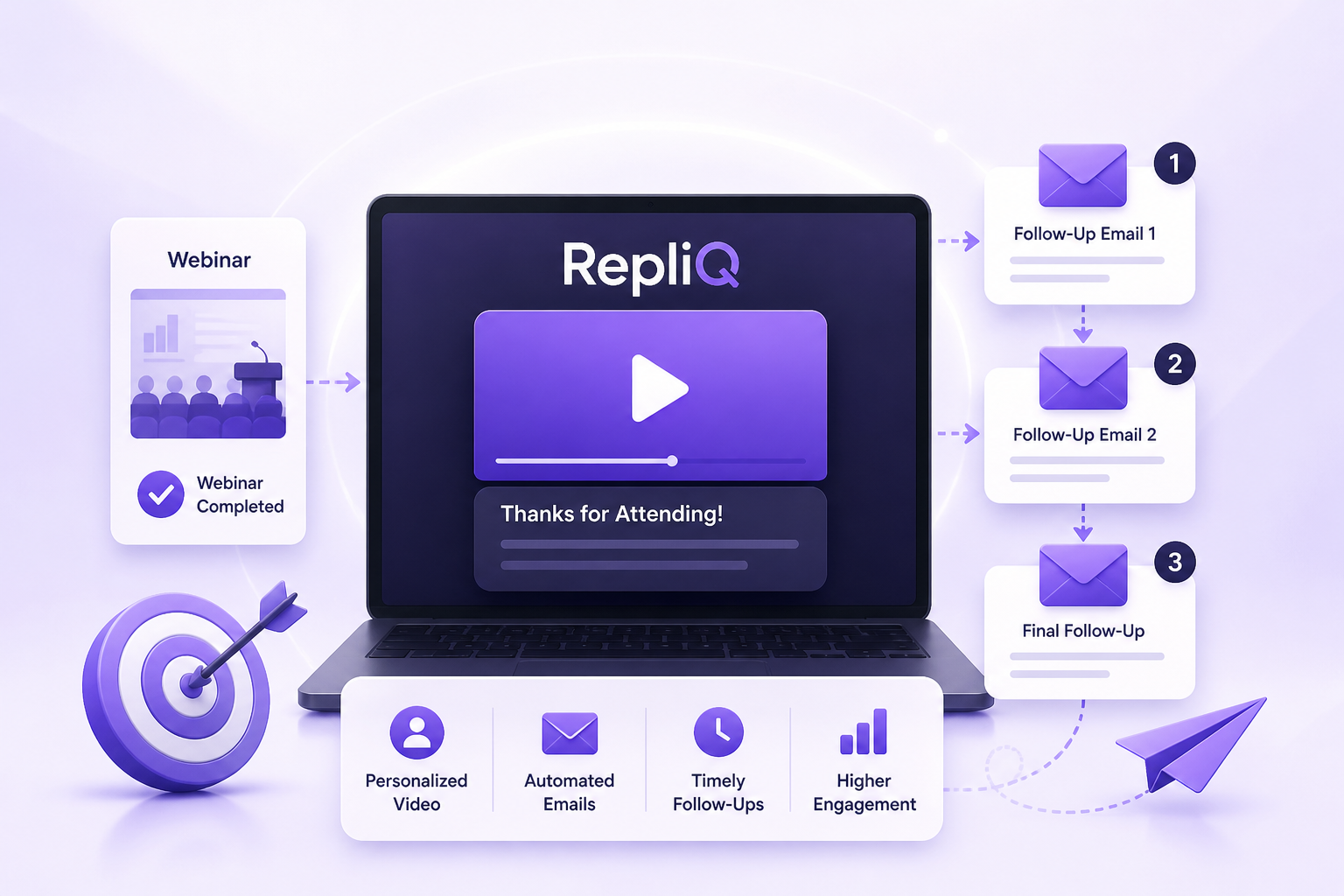
By following this workflow, teams can systematically collect engagement data, segment attendees, select the right message and call-to-action (CTA), create personalized videos, distribute them seamlessly through email, and measure the results. As specialists in attendee segmentation and personalized post-event video workflows, RepliQ provides the operational foundation necessary to execute this personalized attendee outreach and webinar lead nurturing strategy effectively, turning passive viewers into active pipeline.
Why Generic Webinar Follow-Up Emails Often Fall Short
A generic webinar follow-up email often fails because it ignores the distinct differences between live attendees, no-shows, partial viewers, active question askers, and high-intent prospects. When you send a single, broadcast-style webinar replay follow-up to your entire registration list, you miss the opportunity to acknowledge the recipient’s specific context.
Delayed outreach, unclear next steps, and irrelevant content can severely weaken post-webinar momentum. If a highly engaged attendee who asked specific product questions receives the same basic replay link as someone who never logged in, the communication feels automated and disconnected. In contrast, personalized video messaging acknowledges the recipient’s specific behavior, creating a direct bridge between the webinar content and their unique business needs.
It is important to note that personalized videos should complement, not automatically replace, the traditional webinar replay or your existing post-webinar lead nurturing sequence. As highlighted by the University of Kansas follow-up guidance, effective follow-up relies on sending promised materials, recordings, summaries, answers to questions, and providing clear opportunities for continued engagement. Personalized video acts as the tailored introduction to these essential resources.
The Post-Webinar Signals That Matter
To create relevant follow-up, you must first identify useful first-party engagement signals. These include attendance status, viewing duration, questions asked in the chat, poll or interaction data, resource clicks, and stated interests gathered during registration.
When evaluating webinar engagement scoring, it is critical to distinguish between observable engagement and assumptions about buying intent. Just because someone attended a full session does not automatically mean they are ready to buy. Teams can use these observable attendee engagement data points to create practical segments without overcomplicating the workflow. To ensure alignment, recommend documenting the data source and criteria for each segment so that marketing and sales teams operate with the exact same definitions for webinar attendee segmentation.
Segment Webinar Attendees Before Creating Follow-Up Videos
Sending a single message to every registrant dilutes your personalized webinar follow-up. Effective attendee segmentation connects each specific group to a tailored follow-up objective. However, rather than creating a separate workflow for every micro-behavior, teams should start with a small number of actionable segments based on data they can reliably collect and act on for webinar lead follow-up.
Live Attendees Who Stayed Engaged
For your highly engaged webinar attendee follow-up, start by thanking the recipient for attending and referencing the specific webinar topic or a highly relevant takeaway. Provide the replay, any promised resources, or a concise summary for their future reference.
The CTA should connect to the next logical step in their journey, such as a product walkthrough, a specialized consultation, or a deeper educational resource. Avoid using the personalized video messaging to repeat the entire webinar; instead, the webinar replay follow-up video should add context and guide the recipient smoothly forward.
Attendees Who Asked Questions or Showed High Intent
High-intent webinar leads require a more direct approach. In your video, reference the recipient’s specific question, topic of interest, or stated business challenge. Explain exactly how the follow-up video answers their previously unanswered question or connects the webinar topic to a relevant solution.
When the engagement signal strongly supports it, use a higher-friction CTA, such as booking a direct conversation or requesting a custom demonstration. To ensure a seamless transition, define a clear sales handoff rule for contacts whose engagement and account fit indicate they are a priority for personalized attendee outreach and immediate webinar question follow-up.
Registrants Who Did Not Attend
When executing webinar no-show follow-up, acknowledge that the recipient could not attend, but be careful not to imply that they watched the session. Offer the replay, a short written summary, or the most valuable resource extracted from the webinar.
Use a lower-friction CTA, such as "watch the replay" or "explore the key takeaways," before asking for a formal meeting. It is highly recommended to build a separate no-show workflow rather than sending the same live-attendee thank-you message, ensuring your webinar replay email and post-webinar outreach remain contextually accurate.
Low-Engagement or Partial Viewers
Limited viewing should not automatically be treated as proof of low interest. When handling webinar engagement follow-up for partial viewers, use neutral language and offer an easier way to access the most relevant information.
Create a short recap video focused on just one key insight, pain point, or resource. If engagement remains low, test whether a different format, subject line, or CTA improves re-engagement. If contacts remain unresponsive, move them into an appropriate automated webinar follow-up sequence or standard nurture path rather than repeatedly sending nearly identical video follow-up campaigns.
Target Accounts, Customers, or Existing Opportunities
For event-based sales outreach directed at target accounts or existing customers, adapt the message to reflect the recipient’s ongoing relationship with your business. Never use a generic B2B webinar follow-up prospecting script for an existing client.
Connect the webinar topic to an active business conversation, an ongoing implementation question, or a specific customer education need. Marketing and sales must coordinate ownership before sending this highly personalized video outreach. Furthermore, always keep sensitive account information out of the video unless the communication channel is highly secure, appropriate, and authorized.
How to Create Effective Webinar Follow-Up Videos
To execute this strategy at scale, teams need a repeatable production framework for short, useful, and highly relevant videos. True personalization should improve relevance rather than just adding superficial name insertion.
When learning how to create webinar follow-up videos, focus on one primary idea and one primary CTA per video. Keep the video directly connected to the webinar while giving the recipient a compelling reason to watch it. The goal is to balance the depth of personalized video messaging with the practical need to produce post-webinar video outreach consistently across multiple segments.
A Reusable Follow-Up Video Structure
A scalable personalized webinar follow-up relies on a structured webinar video script. Use the following framework:
- Opening: Address the recipient by name and establish the webinar context immediately.
- Relevant observation: Mention the segment-specific signal—such as attending live, missing the event, or engaging with a specific poll.
- Value: Share exactly one takeaway, answer, recommendation, or resource closely related to the recipient’s likely interest.
- Next step: Present one clear video follow-up CTA, such as viewing the replay, accessing a resource, booking a consultation, or requesting a product walkthrough.
- Close: Set clear expectations for the next communication or invite a direct reply when appropriate.
What to Personalize in Each Video
To maximize the impact of your personalized attendee outreach and webinar lead nurturing, personalize the following elements:
- The recipient’s name and the specific webinar title.
- Attendance status or relevant engagement context (using only verified data).
- A question, topic, pain point, or resource aligned precisely with the recipient’s behavior.
- The CTA and linked destination based on the segment’s likely next step.
- The email subject line, video thumbnail, introduction text, and surrounding copy.
Accuracy and transparency are paramount. Never claim that someone watched, clicked, or expressed interest unless your underlying engagement data verifies it. AI-assisted video personalization must be grounded in factual data.
Choosing the Right CTA for Each Segment
Selecting the correct webinar follow-up CTA is crucial for your personalized video email and overall webinar lead nurturing:
- Live attendee: Replay, advanced resource, consultation, or product education.
- Question asker or high-intent viewer: Direct answer, tailored walkthrough, or a conversation with a specialist.
- No-show: Replay, executive summary, or key-takeaway resource.
- Partial or low-engagement viewer: Short recap, focused resource, or a re-engagement question.
- Existing customer or opportunity: Implementation guidance, account-specific next step, or relevant support conversation.
Presenting a single, highly relevant CTA is generally much clearer and more effective than offering several competing options that dilute the next step.
Sample Script Frameworks to Include
Use these adaptable frameworks for your webinar follow-up video script:
- Attendee thank-you script: Thank the recipient, reinforce one specific webinar takeaway, and offer the next logical resource.
- No-show script: Acknowledge the missed event, introduce the replay or summary, and invite the recipient to choose the most relevant next step for their webinar no-show follow-up.
- Question-based script: Refer directly to the recipient’s question, provide a concise answer, and offer a deeper conversation or targeted resource.
- Re-engagement script: Highlight one practical insight and simply ask whether it is relevant to the recipient’s current priorities.
These are adaptable frameworks for personalized video email, not guaranteed-performing copy. Always iterate based on your own audience's response.
Build a 24-Hour Webinar Follow-Up and Nurture Workflow
Translating segmentation and video creation into an operational sequence ensures your marketing and sales teams can repeat the process efficiently. This workflow maps the journey from registration and attendance data through distribution, handoff, and reporting.
By defining how timing, message, channel, and CTA change by segment, you create a robust event follow-up automation system. Knowing where human review is appropriate—especially for high-value accounts—is critical. Unlike manual recording processes that are virtually impossible to repeat across a large attendee list, an automated webinar follow-up sequence built on a platform like RepliQ provides the broader platform context needed for building personalized post-event video workflows at scale.
Stage 1 — Collect and Organize Webinar Data
Consolidate registration, attendance, viewing, interaction, and contact data within your team’s existing marketing or sales workflow. Define exactly which fields are required for personalization and which are optional. It is vital to separate verified behavior from inferred intent. Finally, create consistent segment labels based on your webinar engagement scoring so they can automatically trigger the appropriate attendee segmentation and follow-up path based on accurate webinar engagement data.
Stage 2 — Assign the Message, Video, and CTA
Create a comprehensive message map connecting each segment to a specific video objective, script framework, destination, and CTA. Decide whether the recipient should receive a replay, a resource, product education, a consultation invitation, or a re-engagement message as part of your webinar follow-up strategy. Set strict rules for when a contact should seamlessly move from marketing nurture to sales follow-up, and avoid sending multiple videos with overlapping messages in a short period to prevent webinar lead follow-up fatigue.
Stage 3 — Generate and Review Personalized Videos
Leverage reusable templates for the webinar introduction, the segment-specific middle section, and the CTA. Before distribution, rigorously review names, companies, webinar references, links, and personalization fields. Identify which AI videos can be fully automated and which require manual human approval. Ensure the message remains focused enough to be highly useful when watched on a mobile device or within a broader video follow-up campaign. For scalable video creation and personalization, integrating RepliQ's AI videos allows teams to maintain quality while increasing output.
Stage 4 — Distribute Through Email and Supporting Channels
Your personalized video should fit naturally inside the existing webinar follow-up email rather than requiring a completely separate, disjointed campaign. Use segment-appropriate subject lines and preview copy for your post-webinar video outreach. Consider a coordinated sequence involving the personalized video email, the replay, a resource, and a later reminder rather than sending repeated standalone messages.
Make the next step undeniably clear and ensure recipients can easily opt out of commercial communications. When executing these campaigns, adhere to the FTC CAN-SPAM compliance guide by ensuring accurate headers, non-deceptive subject lines, physical address disclosure, clear unsubscribe mechanisms, and prompt honoring of opt-out requests. (Note: This is general compliance guidance, not legal advice).
Stage 5 — Monitor Replies, Handoffs, and Conversions
Route all replies and high-intent actions to the appropriate sales or marketing owner immediately. Record whether a recipient watched the video, clicked the link, replied, booked a meeting, or entered a later opportunity stage. Connect all webinar follow-up metrics and webinar pipeline attribution back to the original segment so performance is not evaluated solely at the aggregate level. Use qualitative replies to continuously improve future scripts, segmentation rules, and overall webinar conversion tracking.
Measure Whether Webinar Follow-Up Videos Create Qualified Pipeline
A successful measurement framework must go beyond simple video views and connect outreach to meaningful business outcomes. Understanding the difference between delivery, engagement, response, conversion, and revenue-oriented metrics is key to evaluating a video follow-up campaign. Segment-level reporting allows teams to identify which audiences and messages deserve more investment. Avoid relying on unverified industry benchmarks; instead, use your team’s own historical baseline to measure webinar lead nurturing performance.
Engagement Metrics
Start by tracking delivery and email open data where available and appropriate. Move deeper by monitoring video engagement tracking, including video plays, completion behavior, and clicks on the replay or provided resources. Measure the CTA click-through rate and the time elapsed between delivery and engagement. Compare these webinar video views and webinar email click-through rate metrics by segment, message type, and send timing to identify trends.
Response and Sales Metrics
To measure true business impact, track replies, qualified conversations, meetings booked, and accepted sales handoffs. Monitor the webinar lead conversion rate from registrant to marketing-qualified or sales-qualified status, based on your organization's definitions. Identify which opportunities were directly influenced by the follow-up sequence, and calculate the resulting revenue or webinar pipeline attribution using your organization’s established attribution model to identify truly qualified webinar leads.
Testing Plan for Continuous Improvement
Continuous webinar follow-up optimization requires a structured testing plan. Test one variable at a time where possible: the opening hook, video length, subject line, CTA, video thumbnail, or send timing. When campaign design permits, compare a personalized video against a generic replay message or text-only follow-up. Review these personalized video testing results by attendee segment rather than total campaign performance.
Use qualitative replies and direct sales feedback to refine the message, rather than optimizing solely for the highest view rate. As noted in research on video email effectiveness, combining video with text communication can add significant value compared to text-only email, enhancing overall video email effectiveness.
How to Scale Personalized Webinar Follow-Up Without Losing Authenticity
The primary operational challenge is creating individualized outreach for many contacts while keeping the communication credible, accurate, and genuinely useful. There is a vast difference between meaningful contextual personalization and superficial token replacement.
By using templates for structure, teams can reserve human attention for the core message, the CTA, and high-value contacts. AI-assisted workflows can dramatically support production without removing the necessary review, judgment, or compliance checks required for scalable webinar follow-up.
Use Modular Video Templates
To create personalized videos at scale, build reusable opening, webinar-summary, segment-specific, CTA, and closing components. This modular approach maintains a consistent brand voice while changing the most relevant portion of the video for each audience. Build separate templates for attendees, no-shows, high-engagement contacts, and low-engagement contacts. Always review whether each module still sounds natural when combined with different personalization fields in your personalized video workflow and AI video creation process for webinar follow-up videos.
Keep Personalization Useful and Accurate
Authentic personalized outreach must be built around verified context, not assumptions about a recipient’s goals or readiness to buy. Avoid repeating the recipient’s name so often that the personalized video messaging feels robotic and automated. Reference the webinar topic or question only when it genuinely improves relevance. Furthermore, always provide an easy way for the recipient to ask a question or decline further commercial communication as part of your webinar lead nurturing.
Trust and accuracy check: Before sending, always validate personalization fields, destination links, consent status, sender identity, and opt-out handling.
Comparison Framework: Generic Replay, Manual Video, or Personalized Workflow
When evaluating your strategy, consider this comparison framework:
- Generic replay email: Fast and highly scalable, but provides limited relevance for different attendee behaviors.
- Manual one-to-one video: Potentially highly relevant manual video outreach, but incredibly difficult to produce consistently for a large audience.
- Personalized video workflow: Combines intelligent segmentation, reusable production, contextual messaging, and measurable CTAs.
Evaluate each option based on relevance, speed, scalability, operational effort, authenticity, and attribution. The best approach is often a hybrid: utilizing a highly personalized video workflow for high-intent contacts while relying on automated, segmented nurture for lower-intent audiences, moving far beyond the limitations of a standard webinar replay email.
Practical Checklist for a Personalized Webinar Follow-Up Campaign
Use this post-webinar outreach checklist to ensure your webinar lead nurturing workflow is ready for execution:
- Confirm that registration and engagement data is available and accurately mapped to contacts.
- Define segments and document the exact behavioral trigger for each one.
- Assign a specific video message, destination, CTA, and internal owner to every segment.
- Review all personalization fields, links, consent status, sender details, and unsubscribe handling for compliance and accuracy.
- Schedule the first follow-up promptly and define all subsequent nurture steps.
- Track views, clicks, replies, meetings, opportunities, and segment-level conversion.
For teams looking to explore deeper video outreach strategies, reviewing educational resources on the RepliQ blog is an excellent next step for refining your webinar follow-up checklist.
Frequently Asked Questions About Webinar Follow-Up Videos
How do you create an effective webinar follow-up video?
Start with the recipient’s exact segment and verified engagement context. Share one highly relevant takeaway or resource. Use one clear CTA and connect the video naturally to the surrounding webinar follow-up email. Always review personalization fields and links before sending.
What should you include in a webinar follow-up video?
Include a brief greeting and a specific webinar reference. Provide a relevant insight, answer, recap, or resource. Feature a clear next step, such as viewing the replay, accessing a guide, or booking a conversation. End with a concise close that invites a reply or explains what happens next.
When should you send a follow-up video after a webinar?
Begin with a timely message while the webinar topic is still fresh. Use different timing cadences for live attendees, no-shows, and later nurture contacts. Test send timing extensively using your organization’s own engagement and conversion data.
How should no-shows receive different follow-up messaging?
Avoid implying that the recipient attended or watched the session. Offer the replay, key takeaways, or a short written summary. Use a lower-friction CTA before asking for a direct sales conversation.
Can webinar follow-up videos be personalized at scale?
Yes, when teams combine strict attendee segmentation, reusable templates, verified engagement data, and a robust review process. Use deeper personalization for high-intent contacts and modular personalization for broader segments, keeping human oversight for accuracy, compliance, and sensitive account contexts.
Which metrics show whether follow-up videos are working?
Track views and clicks as early engagement indicators. Track replies, meetings booked, qualified handoffs, pipeline opportunities, and influenced revenue as true business outcomes. Compare these results by attendee segment, CTA, message, and timing.
Should a follow-up video replace the webinar replay?
Usually, the video should complement the replay rather than replace it entirely. Use the personalized video to explain precisely why the replay or another resource is relevant to that specific recipient, matching the destination to the segment’s likely next step.
Conclusion: Turn Webinar Engagement Into Relevant Next Steps
Effective webinar follow-up is a coordinated, segmented nurture experience rather than a single, generic replay email. By moving beyond a one-size-fits-all approach, you can turn passive webinar engagement into highly relevant next steps that drive pipeline.
The core process relies on clear execution: segment your attendees based on verified data, personalize the message to their context, match the CTA to their intent, distribute the videos promptly, and measure success through revenue-oriented outcomes rather than just video views. Begin with a manageable framework—targeting live attendees, no-shows, high-engagement contacts, and low-engagement contacts—and scale from there.
Balancing automation with authenticity is the key to post-webinar video outreach. Reusable workflows create the scale you need, while accurate context and human review preserve the trust required to win deals. As experts in attendee segmentation and personalized post-event video workflows, RepliQ provides the infrastructure to execute this strategy flawlessly.
To transform your personalized attendee outreach, explore how RepliQ can support your webinar follow up videos. Discover how RepliQ's AI videos enable scalable, personalized video creation, and continue optimizing your strategy with insights from the RepliQ blog.


