.png)
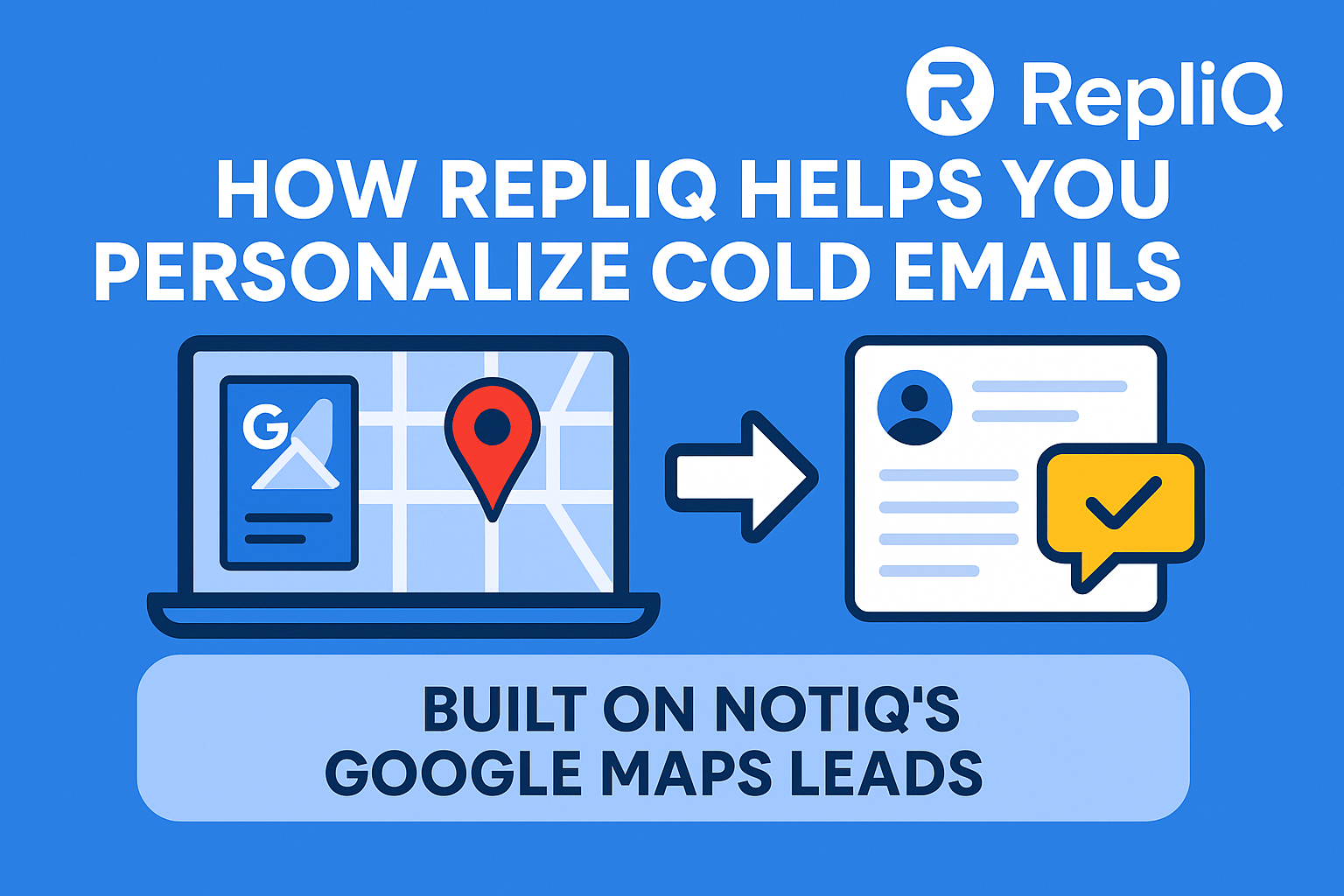
How to Personalize Google Maps–Scraped Leads Using the NotiQ → RepliQ AI Workflow
Most beginners scrape Google Maps leads with high hopes, only to hit a massive wall: they have no idea how to turn that raw data into warm, personalized outreach. They end up blasting generic emails to thousands of local businesses, resulting in abysmal open rates and zero responses.
While Google Maps is undeniably a goldmine for B2B lead generation—offering millions of updated business records—it feels unusable without a layer of human relevance. A list of business names and phone numbers isn't enough; you need context.
The solution lies in a specific, beginner-friendly workflow: combining NotiQ for precision data extraction with RepliQ for deep AI personalization. By bridging the gap between raw data and actionable insights, you can transform cold rows on a spreadsheet into human-quality emails and videos that actually get replies.
This guide details exactly how to execute this "google maps outreach personalization" strategy, leveraging RepliQ’s proven AI workflows built specifically for Google Maps–scraped leads.
Table of Contents
- Why Google Maps Data Is Perfect for Personalized Outreach
- Beginner-Friendly Workflow: From NotiQ Scrape to RepliQ Personalization
- Which Google Maps Fields Create the Strongest Personalized Lines
- AI-Generated Videos and Context That Warm Up Cold Leads
- Common Mistakes and How to Avoid Generic Outreach
- Tools, Resources & Workflow Templates
- FAQ
Why Google Maps Data Is Perfect for Personalized Outreach
When marketers think of lead lists, they often imagine static databases containing only names and emails. However, Google Maps offers something far more valuable for "local business outreach": context.
Small and medium-sized businesses (SMBs) live and die by their local presence. Their Google Business Profile contains rich data points—user reviews, detailed service descriptions, photos, and operational attributes—that tell you exactly what the business values and how its customers perceive it.
Unlike automated enrichment tools that guess a company’s industry based on vague codes, Google Maps data reflects how the business positions itself in real-time. To understand the depth of data available, it is helpful to review the Google Maps data guidelines, which outline the structured information businesses provide to the platform.
However, gathering this data manually is impossible at scale. This is where automation becomes essential. By using a dedicated scraper, you can collect thousands of enriched data points in minutes.
Learn more about efficient scraping workflows on the NotiQ blog
What Makes Google Maps Leads Different From Generic Lead Lists
Generic lead lists are often stale. A database might list a company as "active" when they went out of business six months ago. Google Maps, by contrast, is dynamic. User-generated content keeps it alive.
The real differentiator for "google maps outreach personalization" is the qualitative data.
- Generic List: Company Name, Email, Industry.
- Google Maps List: Company Name, "Best Italian food in Chicago" (Review), "Family-owned since 1990" (Description), 4.8 Stars (Reputation).
When you use RepliQ to process this data, you aren't just saying "Hi [Name]." You are saying, "I saw you've been serving Chicago since 1990 and have a stellar 4.8-star rating." That is the difference between spam and a conversation starter.
Why Personalization Matters More for Local Businesses
SMB owners are inundated with generic sales pitches. They can spot a template immediately. However, they are also deeply proud of their local reputation. When you reference a specific detail—like a recent positive review or a specific service they offer—you validate their hard work.
This isn't just anecdotal; it is backed by consumer psychology. Research indicates that generic messaging is increasingly ignored, while targeted communication fosters trust. According to Pew Research on personalized messaging, users are far more receptive to digital interactions that feel relevant to their specific situation rather than broad-spectrum advertising.
Beginner-Friendly Workflow: From NotiQ Scrape to RepliQ Personalization
The goal of this workflow is to move from "how to turn scraped leads into conversations" to actually booking meetings, without spending hours on manual research. This process combines the extraction power of NotiQ with the generative intelligence of RepliQ.
Discover how RepliQ’s AI video feature fits into this workflow
Step 1 — Scrape Google Maps Leads Using NotiQ
The first step is gathering your raw materials. Using NotiQ, you can target specific "google maps lead generation" sectors.
- Define your search: Be specific. Instead of "Restaurants in New York," try "Vegan Restaurants in Brooklyn."
- Select your fields: Ensure you are extracting not just the email and phone number, but also the Description, Rating, Review Count, and Category. These are the fuel for RepliQ’s AI.
Note: Always adhere to ethical data practices. Review the FTC guidance on responsible data use to ensure you are respecting privacy and compliance standards when handling business information.
Step 2 — Clean & Organize Your Output
Once NotiQ delivers your CSV file, you need to refine it. "Beginner google maps outreach guide" 101: never upload dirty data.
- Remove Duplicates: Ensure you don't message the same business twice.
- Filter by Relevance: If you scraped "Gyms" but a "Vitamin Shop" appeared in the results, remove it if it doesn't fit your offer.
- Check for Missing Data: If a lead lacks a website or description, RepliQ will have less context to work with. You may want to filter these out for your first campaign.
Step 3 — Import Leads into RepliQ for Personalization
With a clean CSV, you are ready to "personalize scraped leads."
- Log into RepliQ.
- Upload your NotiQ export file.
- Map the columns. Tell RepliQ which column contains the "Business Name," "Website," and importantly, the "Description" or "Reviews."
- RepliQ’s AI will now scan these columns to understand the context of each specific business.
Step 4 — Generate Personalized Lines & Videos
This is where the magic happens. You can instruct RepliQ to generate specific outputs based on the "ai email personalization" strategy you chose.
- Icebreakers: "I noticed you have a 4.9-star rating and customers love your [Specific Service]."
- Value Props: "Since you specialize in [Category], our tool can help you..."
- AI Video: Create a personalized video background that scrolls through their website or Google Maps listing while you speak.
See examples of high-converting personalized lines here
Which Google Maps Fields Create the Strongest Personalized Lines
To master "google maps outreach personalization," you must understand which data points yield the best AI outputs. Not all fields are created equal.
Business Description
The business description is often written by the owner. It contains their Unique Value Proposition (UVP).
- Why it works: It reflects how they see themselves.
- Example Hook: "I was reading about how you pride yourselves on being the only 24-hour emergency plumber in the Austin area..."
Reviews & Ratings
Reviews provide social proof and sentiment analysis.
- Why it works: It shows you did your homework on their reputation.
- Research Insight: Effective digital engagement relies on understanding user feedback loops. See APA research on principles of design interfaces regarding how user feedback shapes digital trust.
- Example Hook: "It’s impressive to see you’ve maintained a 5-star rating across over 200 reviews—customers clearly love your attention to detail."
Categories & Attributes
Categories help you niche down your messaging.
- Why it works: It proves relevance.
- Example Hook: "As a specialized Orthodontist clinic, you likely face different scheduling challenges than a general dentist..."
Photos & Visual Elements (Optional Enhancement)
While text is powerful, visual cues are essential for "local business outreach." RepliQ can utilize the presence of high-quality photos (or the lack thereof) to suggest marketing improvements, or use the visual of their storefront in a video background to catch their eye immediately.
AI-Generated Videos & Context That Turn Cold Leads Warm
Text personalization is standard; video personalization is a disruptor. "Ai email personalization" has evolved beyond text.
How RepliQ Builds Personalized Video Scripts From Maps Data
RepliQ automates the production of "personalized video outreach" by combining the data you scraped with a visual template.
- Input: The AI reads the business name and website URL from your NotiQ scrape.
- Enrichment: It captures a screenshot or recording of their landing page or Maps profile.
- Script Generation: It overlays a human-like voiceover that says, "Hi [Name], I was just looking at [Business Name] online and noticed..."
- Transparency: When using AI, trust is paramount. Referencing the NIST AI Risk Management Framework, transparency in automated systems helps mitigate risk and builds trust with the recipient.
Real Examples of Before/After Personalization
- Before (Generic): "Hi, do you need help with SEO? We help businesses like yours."
- After (RepliQ Enriched): "Hi Team at [Business Name], I was checking out your profile and saw you have great reviews for your [Specific Service], but you aren't ranking in the top 3 for that keyword in [City]. I made a quick video showing why."
The second option proves you aren't a bot blasting a list—even though you used AI to write it.
Common Mistakes and How to Avoid Generic Outreach
Even with "ai workflows for local business outreach," human error can ruin a campaign. Here are the top pitfalls.
Mistake 1 — Using Raw Data Without Context
Sending an email that says "Hello [LLC LEGAL NAME]" screams automation.
- The Fix: Clean your business names. Change "Joe’s Pizza, LLC" to "Joe’s Pizza." Use RepliQ to extract the "doing business as" name if possible.
Mistake 2 — Wrong Category or Poor Filtering
Pitching a steakhouse on vegan food supplies because you didn't filter the "Restaurant" category properly.
- The Fix: Spend extra time in NotiQ ensuring your category filters are tight before you export.
Mistake 3 — Overly Long or Robotic Personalization
"I hope this email finds you well. I deduced from your online data repository that you are a lawyer."
- The Fix: Train the AI (or use RepliQ’s presets) to be casual. "Saw you're a lawyer in Boston..." is much better.
Mistake 4 — Video Scripts Without Clear Relevance
Sending a video that just shows a generic background rather than their specific website or map listing.
- The Fix: Ensure the URL column in your CSV is accurate so RepliQ captures the correct visual background.
Mistake 5 — No Follow-Up or Warm Touch
Sending one personalized email and giving up.
- The Fix: specific "cold email personalization" requires a sequence. If they don't reply to the video, follow up with a text-based email referencing the video you sent.
Tools, Resources & Workflow Templates
To execute this strategy, you need a lean, effective tech stack.
- NotiQ: For scraping high-fidelity Google Maps data (leads, reviews, details).
- RepliQ: For ingesting that data and generating personalized text lines and videos at scale.
These "ai workflows for local business outreach" replace the need for expensive teams of lead researchers. By automating the data collection and the initial personalization, you can focus on closing deals.
Check out more tutorials on scraping strategies
Conclusion
The gap between raw data and a warm lead is personalization. By combining the scraping power of NotiQ with the generative intelligence of RepliQ, you can bridge that gap effortlessly. You no longer have to choose between volume and quality.
This workflow transforms "google maps outreach personalization" from a manual headache into a scalable asset. Start with a small batch—scrape 50 leads, run them through RepliQ, and launch a campaign. The difference in response rates will be immediate. With RepliQ’s experienced AI workflow for Google Maps–scraped leads, you are ready to turn public data into profitable conversations.
FAQ
How do I personalize cold emails from Google Maps leads?
You personalize them by extracting specific data points—like business descriptions, review counts, and ratings—and using AI tools like RepliQ to weave those facts into natural-sounding sentences that prove you researched the business.
Do I need technical skills to set up this workflow?
No. The NotiQ → RepliQ workflow is designed for beginners. If you can use a spreadsheet (CSV) and click a few buttons in a web interface, you can execute this strategy.
What makes video personalization so effective?
Video mimics face-to-face interaction, which increases trust. According to research on digital engagement, visual and personalized media capture attention significantly faster than text alone, signaling high effort and relevance to the recipient.
Is scraping Google Maps data allowed?
Scraping publicly available data is generally legal, but you must adhere to platform terms and privacy laws. Always review the FTC guidance on responsible data use to ensure you are compliant with regulations regarding commercial outreach.
Can I use this workflow for niches outside local businesses?
Yes, as long as the business has a physical presence or a Google Business Profile. This works for agencies, medical practices, real estate, and professional services, not just retail or restaurants.

.svg)
.png)


.svg)


